The review embargo for the M5 Mac Studios lifted, and the tech content machine responded the only way it knows how: by loading up Ollama, running a 4B parameter model, and declaring “wow, it works.”
Meanwhile, Federico Viticci at MacStories actually put the machine through its paces, running local AI agents for a full four days straight, comparing it against both the M3 Ultra and an RTX 5090 gaming PC. The results make a mockery of shallow YouTube reviews and raise some uncomfortable questions about what “professional AI hardware” should actually cost.
The Quad-Die Problem: Why Apple Had to Rethink Everything
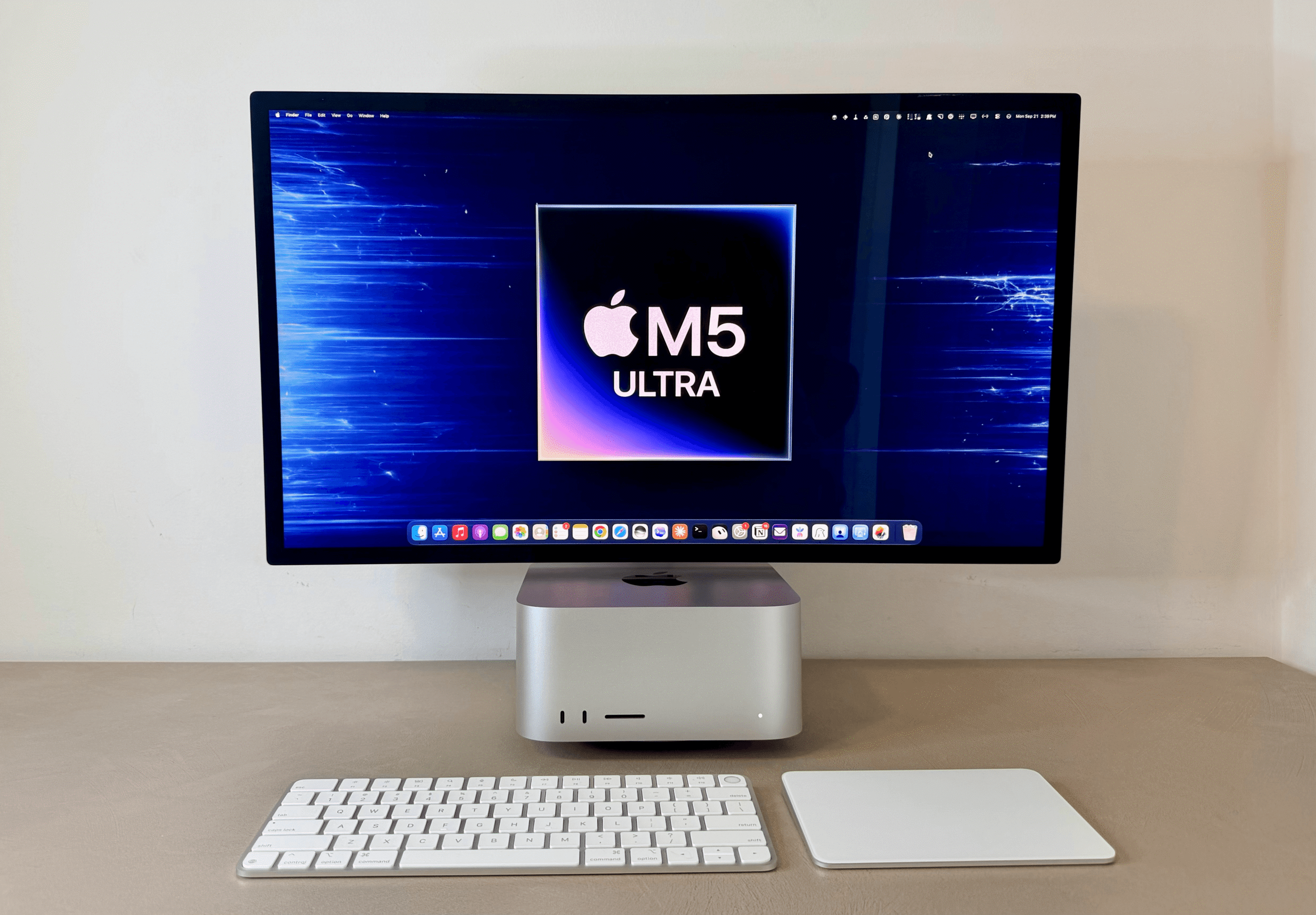
Here’s what makes the M5 Ultra different from every Apple chip that came before it: it’s not just two M5 Max dies fused together. Each M5 Max is itself a dual-die design, with the CPU and GPU fabricated separately and joined via Apple’s Fusion Architecture. The M5 Ultra combines two of those dual-die chips using UltraFusion, creating what Apple calls a quad-die architecture.
This isn’t just architectural navel-gazing. That interconnect delivers 4.4TB/s of inter-die bandwidth, a six-fold increase in connection density, which means the chip can finally feed its voracious AI appetite. The headline number is 1.2TB/s of unified memory bandwidth, up 50% from the M3 Ultra’s 819GB/s.
But the real story is in the GPU. For the first time, Apple has embedded Neural Accelerators into each of the 80 GPU cores, purpose-built for the matrix math that drives AI models. Apple claims up to 4.5× the peak GPU compute for AI compared to the M3 Ultra. That’s not marketing fluff, the benchmarks bear it out.
The Numbers That Actually Matter
For AI workloads, two metrics decide everything: how fast a model reads your prompt (prefill) and how fast it writes the response (generation). The M5 Ultra delivers on both, but prefill is where it’s comically ahead.
Testing Qwen3.8-Flash-Next on both machines with identical settings and prompts, the M5 Ultra hit 2,733 tokens/second on prompt processing versus the M3 Ultra’s 1,163, a 2.5× improvement. The 16K prompt case is even more lopsided: 2,887 tok/s versus 1,143. Generation speeds improved too, jumping from 47-54 tok/s to 70-73 tok/s depending on context size.
That prefill gain is what makes agents viable. Modern agentic loops send massive system prompts, session memories, and tool definitions on every turn. The M3 Ultra would make you sit through a loading animation while it chewed through thousands of tokens before producing a single character. The M5 Ultra blinks and gets to work.
| Test (16K prompt) | M3 Ultra 512GB | M5 Ultra 256GB | Improvement |
|---|---|---|---|
| Prompt processing | 1,143 tok/s | 2,887 tok/s | +152% |
| Generation speed | 47 tok/s | 73 tok/s | +55% |
| Time to first token | 13.9s | 5.6s | -60% |
Even at 256K context, a quarter-million tokens of background text, the M5 Ultra reads at 2,544 tok/s and starts generating in about 100 seconds. The M3 Ultra needs nearly 250 seconds just to process the prompt.
What does this mean in practice? Viticci built a complete AI research pipeline using a local model as his default. His Desk app, which organizes hundreds of documents across Notion, runs agents 24/7 with zero cloud API costs. The M5 Ultra makes that feel native instead of tolerated.
The RTX 5090 Complication
Here’s where the comparison gets uncomfortable for NVIDIA. In head-to-head testing with Qwen3.8-27B, the RTX 5090 still edges out the M5 Ultra:
| Test (6K prompt) | RTX 5090 PC | M5 Ultra 256GB | M3 Ultra 512GB |
|---|---|---|---|
| Prompt processing | 3,031 tok/s | 1,701 tok/s | 414 tok/s |
| Generation speed | 59 tok/s | 48 tok/s | 31 tok/s |
| Time to first token | 2.0s | 4.0s | 15.4s |
The 5090 wins on raw speed, no contest. But the 5090 costs about $2,000, and the full PC build around it, 95GB system RAM, high-end CPU, Lian-Li case, PSU, tips the scale at multiple thousands more. And then you hit the wall: 32GB of VRAM.
“When I want to run anything exceeding 32 GB (such as the aforementioned higher Flash-Next quants), the 5090 must offload model layers over PCIe to (much slower) system RAM”, Viticci notes. “That’s no way to live.”
At 256K context with an 8-bit attention cache, the 5090 manages 30 tok/s. Force it to borrow system RAM for the same workload? You’re looking at 4.6 tok/s, borderline unusable. The M5 Ultra never spills, there’s no concept of “VRAM” because the 256GB of unified memory is the whole pool. It runs the same model at 24.3 tok/s entirely in memory.
The unfair comparison: a performance comparison with high-end GPU rigs shows the M5 Ultra delivering 2-7× faster prefill than the M3 Ultra and competitive generation speeds with flagship NVIDIA hardware, while fitting on a desk, running quietly, and sipping power.
The Concurrency Angle Nobody’s Talking About
Single-request benchmarks tell one story. Agentic workloads tell another, because agents spawn subagents that all want the GPU simultaneously.
Running three concurrent Flash-Next requests on the M5 Ultra produced 81.5 tok/s combined output, 23% more total throughput than a single request. The M3 Ultra stays flat at about 39 tok/s whether you throw one request or three at it. The M5 Ultra has genuine headroom for subagent orchestration.
“My tests allowed me to set up Flash-Next in Codex, which lets me use a local model with the Codex harness”, Viticci writes. “This means that I can let a main GPT model orchestrate local subagents, have Flash-Next coordinate its own subagents, or even just use the model from my phone with Codex Remote on iOS.”
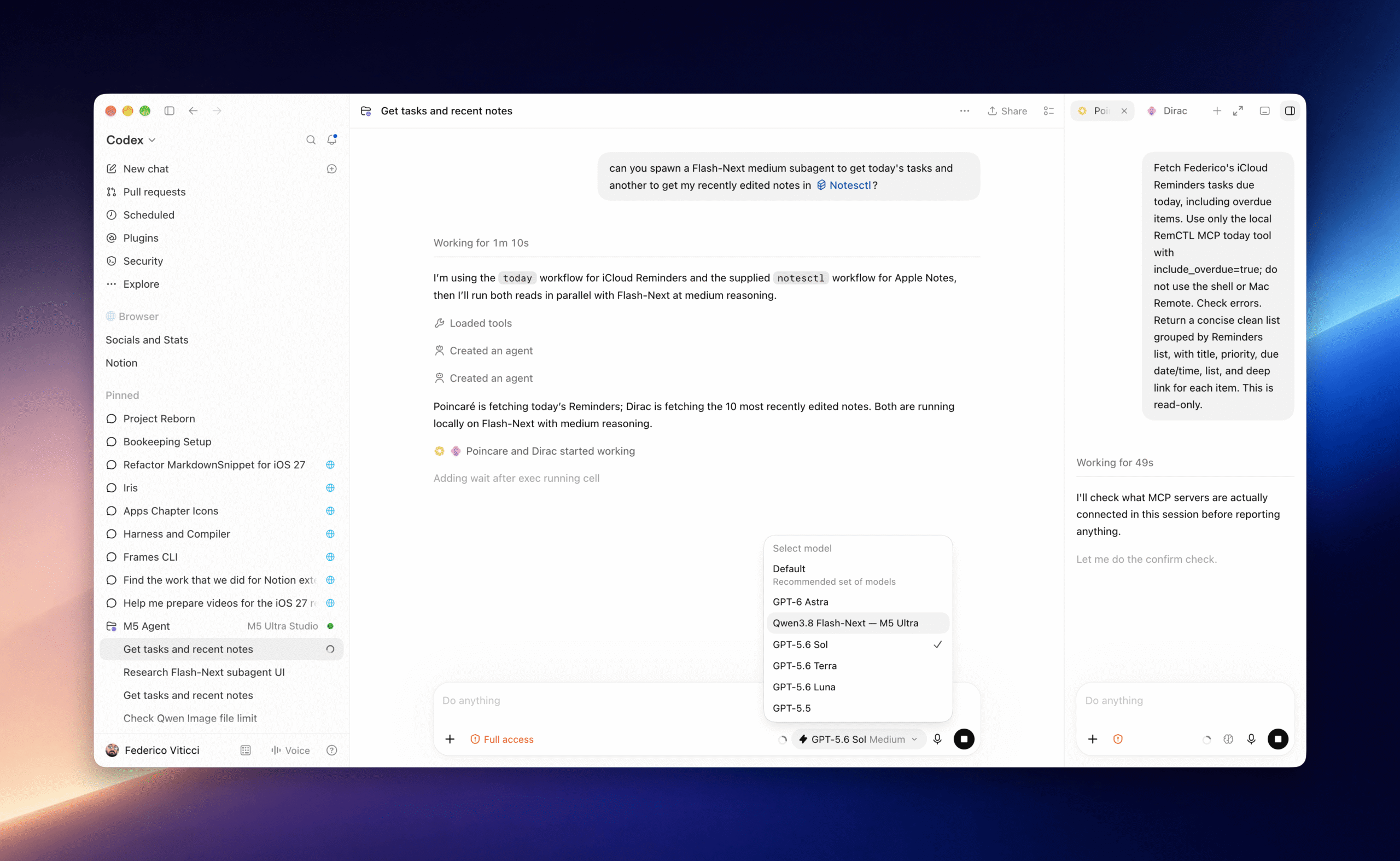
The days of serial inference constraints on local hardware are ending: with 256GB of RAM, you can stack three concurrent Flash-Next sessions with subagents and still get better aggregated throughput than running a single session on the previous generation’s top-tier machine.
This is where the current limits and future potential of local LLMs on Mac hardware narrative starts bending. The M5 Ultra doesn’t just run bigger models, it runs them concurrently, which is what agents actually need.
The Architecture Trap: Why Quantization Matters More Than Ever
Apple’s unified memory architecture means you’re not choosing between 24GB and 32GB of VRAM. You’re choosing between 96GB, 256GB, or 512GB (the latter arriving in October). That changes the quantization calculus entirely.
At 4-bit quantization (oQ4e), Flash-Next fits entirely in RAM with a 155GB footprint. Bump to 5-bit (oQ5e) and you’re at 179GB, still fits in a 256GB Mac. The 6-bit and 8-bit versions exceed available memory, forcing embedding tables to SSD. The M5 Ultra handles these gracefully via oMLX’s SSD offload:
| Quant | M5 Ultra 256GB (in RAM) | M5 Ultra 256GB (SSD offload) | Generation speed |
|---|---|---|---|
| oQ4e | ✓ | , | 111.6 tok/s |
| oQ5e | ✓ | , | 100.0 tok/s |
| oQ6e | ✗ | 156GB | 95.2 tok/s |
| oQ8e | ✗ | 187GB | 86.8 tok/s |
The interesting bit: SSD offload costs less performance than you’d expect. The oQ6e variant runs at 95 tok/s despite keeping embedding tables on disk, because those n-gram tables are read on demand. That architecture is a clever compromise when you can’t fit all the bits in memory.
But make no mistake: the sweet spot is 5-bit quantization on a 256GB machine. It’s fast enough to feel native and precise enough for serious agentic work.
The Cost Argument: Math That Doesn’t Lie
Let’s address the elephant in the room: the M5 Ultra review unit costs $12,299. The base configuration starts at $5,499. That’s not impulse-buy territory.
But the community math is getting interesting. One Reddit user calculated that a $200/month Claude subscription fully utilized is worth $5,000-7,000 at API rates. When the venture capital subsidy runs dry, and it will, cloud AI costs either skyrocket or subscriptions get worse for heavy users.
The counterargument is equally valid: a 5090 costs less than the CPU alone on this thing. But as OvertaxedOne pointed out, “those numbers are astoundingly good. Flash Next at those speeds for ~$10K vs $30K for 2 Pro6000s, outside of very specific use cases, I can’t see why you’d even consider the Pro6000.”
A more honest framing comes from durangotang’s breakdown: with Apple’s leasing program and a 50% resale value after three years, the real cost lands around $167/month for the 64-core variant. That’s competitive with professional cloud subscriptions, and you own a Mac Studio at the end.
The cost analysis of high-end local AI workstations points out the breakeven math is rarely as clean as enthusiasts claim. But for heavy agentic users burning through weekly rate limits in four days, the value equation tilts harder than the sticker price suggests.
What’s Still Missing: The Honest Critique
The M5 Ultra is the best local AI platform Apple has ever shipped. It’s not perfect.
Concurrency still bottlenecks. Individual requests run slower under load, even if aggregate throughput stays high. The Mac can’t match a multi-GPU server for parallel inference.
Training on Macs remains niche. For fine-tuning or training, CUDA is still the answer. The MLX ecosystem is growing but nowhere near the maturity of PyTorch on NVIDIA.
The hardware is sealed. No upgrades. No swapping GPUs. You’re locked into whatever configuration you buy, which makes the memory choice nerve-wracking. A 512GB option arrives in October, reportedly pushing fully-configured prices past $20,000.
Apple provides zero developer documentation. PCMag’s review notes that unlike NVIDIA and AMD, which offer playbooks for local AI use cases, Apple offers nothing official. You’re on your own to figure out oMLX, quantization, and agent setup.
And there’s the Apple’s hardware memory limitations impacting local AI elephant: Apple has shown willingness to restrict or reconfigure memory options when supply chains tighten. The M5 Ultra’s $4,000 upgrade from 96GB to 256GB is not encouraging for the platform’s long-term viability as a budget AI workstation.
The Bottom Line
The M5 Ultra Mac Studio fundamentally changes what “local AI” means. It’s not just about running models anymore, it’s about running agentic workloads that need fast prefill, sustained generation, and the ability to run multiple models concurrently without compromise.
Viticci’s experience is the most compelling evidence: “The personal assistants I use the most are now entirely powered by a model running locally on a Mac Studio.” He’s not using a frontier cloud model as a fallback, the local Qwen model is his default.
For developers and tinkerers willing to navigate the setup complexity, the M5 Ultra represents the first time local AI agents feel genuinely production-ready. The hardware is expensive, but so is bleeding edge. The question is whether NVIDIA responds meaningfully, or whether Apple’s strategic shift toward on-device AI with future chips makes this the first of many such victories.
Either way, the era of treating local AI as a compromise is over. The M5 Ultra turned a corner, and the rest of the industry is now playing catch-up.