DrawIO Is Dead: The ‘Think, Write, Commit’ Revolution Coming for Software Architects
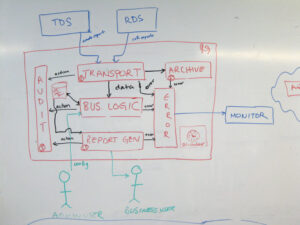
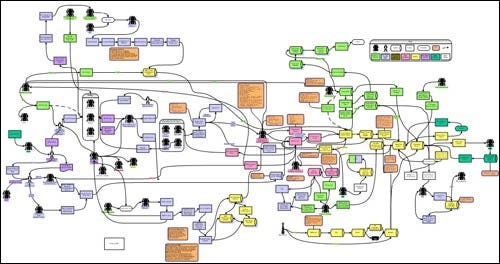
A software architect posted on Reddit last week with a blunt confession: their “current approach with ADRs and diagrams in drawio sucks.” The post scored 15 upvotes and sparked a thread that reveals a quiet crisis in how we document software architecture. After some time, DrawIO diagrams become archaeological sites, buried layers of decisions that are painful to excavate and update.
The solution? Treat architecture like code. Think, write, commit. But this isn’t just about swapping one tool for another. It’s about whether architects can survive in a world where AI pair-programmers are rendering traditional documentation obsolete.
The DrawIO Collapse: Why Manual Diagramming Doesn’t Scale
The architect’s complaint hits a nerve because it’s universal. DrawIO is brilliant at the beginning. Drag, drop, connect, your system vision materializes in minutes. But six months later, that beautiful diagram is a liability. The payment service you renamed? Still shows the old label. The caching layer you removed? Still sitting there, misleading new hires. The C4 context diagram you updated? Its container and component views are now out of sync.
This is the documentation drift tax. Every architectural change requires manual updates across multiple diagrams, each living in separate files, each requiring context-switching into a visual editor. The result: architects don’t update diagrams. They become historical artifacts, not living documentation.
Code-Driven Diagrams: The “Inner Loop” Architects Never Had
Developers have enjoyed a tight inner loop for decades: write code, test, commit, push. Architects? They’ve been stuck with a broken outer loop: think, draw, export, attach to wiki, realize it’s outdated, repeat. The rise of Mermaid and PlantUML changes this equation fundamentally.
These text-based diagramming tools let you define architecture in code:
@startuml
!include https://raw.githubusercontent.com/plantuml-stdlib/C4-PlantUML/master/C4_Context.puml

Person(user, "User", "A customer")
System(ecommerce, "E-commerce", "Online shopping")
System_Ext(payment, "Payment Gateway", "External")

Rel(user, ecommerce, "Browses")
Rel(ecommerce, payment, "Processes payments")
@enduml
The benefits are immediate:
– Version control: Architecture changes get pull requests, reviews, and history
– CI/CD integration: Diagrams render automatically on commit
– Diffs: See exactly what changed in a architecture review
– Automation: Generate diagrams from code or configuration
GitHub renders Mermaid natively. GitLab does too. Your architecture documentation lives alongside your code, not in a separate silo. This is the “think, write, commit” workflow architects crave.
But there’s a catch: stakeholders. Business stakeholders want pretty visuals, not text files. They want to click and comment, not learn Markdown. This tension, developer efficiency vs. business accessibility, fuels the controversy.
The AI Disruption: When Your Diagrams Start Writing Themselves
The debate between Mermaid and PlantUML is suddenly quaint. AI is making both arguments obsolete. Visual Paradigm’s AI-powered C4 PlantUML Studio demonstrates this shift: you write a problem statement in natural language, and the AI generates the entire C4 hierarchy, Context, Container, Component, and Code views, automatically synced.
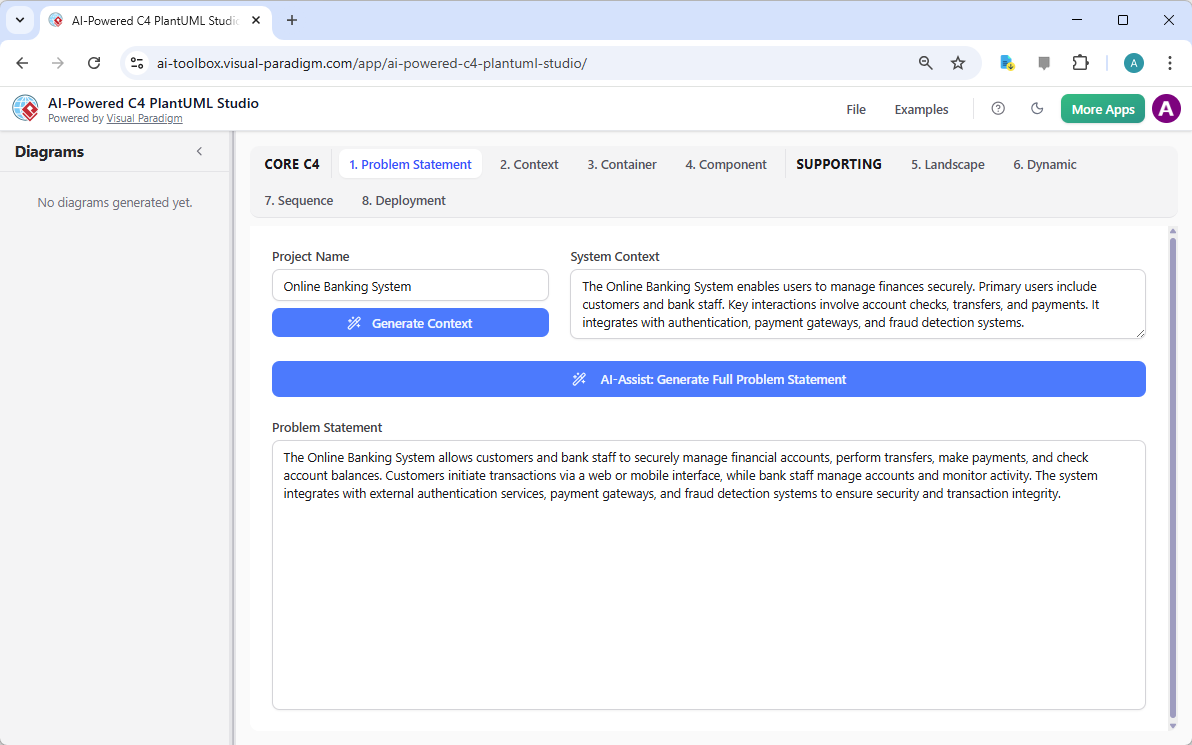
This isn’t just autocomplete. The AI maintains consistency across abstraction levels. When you update the Context diagram, the Container and Component diagrams ripple with the changes. The manual synchronization burden disappears.
But the real disruption comes from Archyl’s MCP server. Model Context Protocol (MCP) is Anthropic’s open standard for connecting AI assistants to external data sources. Archyl exposes 56 tools that let Claude, Cursor, or any MCP-compatible AI directly query and modify your architecture documentation.
Want to know what systems talk to your PostgreSQL database? Ask your AI assistant. Need to create an ADR for your new notification service? The AI drafts it, links it to the relevant C4 elements, and commits it to your repository. The architecture documentation becomes a living knowledge graph that AI can reason about.
This breaks the fundamental constraint: architects no longer need to choose between machine-readable and human-readable documentation. The AI translates between them in real-time.
The Controversy: Are We Trading Understanding for Speed?
Here’s where it gets spicy. A commenter on the Reddit thread noted: “I use LLMs to help me write documentation and I think diagrams as text really help them understand what I’m conveying.” Another countered: “I wanted so hard for PlantUML to work, but the extra setup required and no native integration with GitHub just makes it a shoehorn choice.”
The controversy isn’t about tools. It’s about cognitive load and ownership.
When you manually draw a diagram, you’re forced to think through every connection. The act of dragging shapes around builds mental models. When AI generates your C4 hierarchy from a paragraph, are you still architecting, or just describing? Are we accelerating documentation at the cost of architectural thinking?
This mirrors the broader AI coding debate. As explored in AI’s impact on developer ownership and craftsmanship, when AI writes code you don’t fully understand, you become a maintainer of machine decisions. The same risk applies to architecture: you might commit diagrams you haven’t mentally validated.
The counterargument is brutal: manual diagrams were already broken. Architects weren’t thinking deeply about documentation, they were avoiding it because the tooling made it painful. AI doesn’t replace architectural thinking, it removes the excuse for not documenting.
The Stakeholder Problem Still Exists
AI-generated text diagrams don’t solve the stakeholder accessibility problem. If anything, they make it worse. A business stakeholder can open a DrawIO diagram and leave comments. They won’t clone your repo, open a PR, and review PlantUML code.
The pragmatic solution is hybrid: maintain code-driven diagrams as the source of truth, but use CI/CD to export them to stakeholder-friendly formats. GitHub Actions can render Mermaid to PNG. Visual Paradigm can export to PDF. Archyl’s MCP server can sync to Confluence.
But this adds complexity. You’re not just maintaining diagrams, you’re maintaining a documentation pipeline. For teams with fewer developers than services, this overhead can be a silent tax, as discussed in addressing documentation decay in microservices through automation and CI/CD integration.
The question becomes: is the automation worth the pipeline maintenance? For fast-moving product teams, absolutely. For enterprise architecture boards that meet quarterly? Maybe not.
The Hidden Risk: Architecture as Code, But Not as Contract
There’s a deeper problem. When architecture lives in code, it starts to look like implementation. But architecture is abstraction. The C4 model’s power is its deliberate distance from code. Level 1 (Context) should be understandable to non-technical executives. Level 4 (Code) is optional, most teams never use it.
Code-driven diagrams risk collapsing these levels. When your AI generates everything from the same problem statement, does the Context diagram stay jargon-free? Or does it inherit technical details from the Component view?
This is where how team interactions create architectural edge cases despite correct code becomes relevant. The architecture that AI generates reflects the prompt engineer’s biases, not necessarily the system’s conceptual integrity. A human architect deliberately simplifies for different audiences. AI might not.
Making It Work: A Pragmatic Path Forward
1. Start with Mermaid for Context Diagrams
Mermaid’s GitHub integration means zero setup for developers. Begin by converting your most painful-to-maintain diagram, usually the C4 Context view, to Mermaid. Get comfortable with the syntax.
graph TD
    User[User] -->|Browses| Ecom[E-commerce System]
    Ecom -->|Processes| Payment[Payment Gateway]
    style User fill:#f9f
    style Ecom fill:#bbf
    style Payment fill:#bfb
2. Use PlantUML for Detailed Views
When Mermaid’s limited styling becomes frustrating, adopt PlantUML with the C4 standard library. The investment in setup pays off for Container and Component diagrams where you need more control.
3. Add AI Generation for Bootstrap
Don’t AI-generate everything. Use Visual Paradigm’s AI or Archyl to bootstrap new diagrams from problem statements, then manually refine. This gives you the speed of AI with the validation of human oversight.
4. Automate Stakeholder Exports
Create a GitHub Action that:
– Renders Mermaid/PlantUML to PNG on every commit
– Uploads to your documentation site (Confluence, Notion, etc.)
– Comments the rendered image back into the PR
This keeps the code-driven source of truth while maintaining stakeholder accessibility.
5. Integrate AI Assistants via MCP
If you’re using Claude Code or Cursor, configure the Archyl MCP server. The ability to ask “what ADRs affect authentication?” without leaving your IDE is transformative. It makes architecture documentation part of the development flow, not a separate task.
The Future: Architecture Documentation as a Runtime Asset
The MCP server hints at where this is heading. Architecture documentation is becoming a runtime asset that AI assistants query to make decisions. When you ask Claude to “add a payment endpoint”, it doesn’t guess about Stripe integration, it reads your actual C4 diagrams and ADRs.
This shifts architecture from static documentation to executable specification. As growing need for rigor in system design as AI accelerates development cycles explores, AI-assisted development demands more formal architecture, not less. The architecture becomes the contract that AI agents use to coordinate.
DrawIO can’t participate in this future. It’s a visual editor, not a data source. It doesn’t expose APIs for AI consumption. It doesn’t version control cleanly. It’s a dead end.
The Verdict: Adapt or Become a Documentation Archaeologist
The Reddit architect’s frustration is a leading indicator. Teams that treat architecture as code are moving faster and staying more aligned. Teams that stick with manual tools are accumulating documentation debt that AI-assisted developers won’t tolerate.
The controversy isn’t whether to adopt code-driven diagrams, it’s how fast you can do it before your architecture knowledge becomes fossilized in unmaintainable DrawIO files.
Start small. Convert one diagram. Feel the difference of git diff showing exactly what changed in your architecture. Then ask yourself: why would you ever drag a rectangle again?
The “think, write, commit” loop isn’t just for developers anymore. Architects who embrace it become enablers of AI-assisted teams. Those who don’t become bottlenecks, and eventually, obsolete.