Your data engineers are already using Claude Code to write SQL. They’re feeding it schema definitions, production queries, and, if you’re lucky, sensitive customer data masked just enough to keep compliance happy.
Here’s the uncomfortable truth: every prompt sent to Anthropic’s API is a potential data exfiltration event, a governance audit failure waiting to happen, and a privacy officer’s nightmare.
But what if the AI never left the building?
The Governance Gap in Your IDE
Most AI coding assistants operate on a simple, terrifying principle: they send your context to their cloud, process it on GPUs you don’t control, and return suggestions that may or may not respect your data classification policies. When a developer asks Claude Code to “refactor this query that handles EU customer PII”, that PII is leaving your perimeter.
Snowflake’s answer is Cortex Code, a native AI assistant that runs inside your account’s security boundary. But Cortex Code has limitations—it’s bound to Snowflake’s interface and lacks the ecosystem flexibility of Claude Code’s tool-calling capabilities.
The solution? A local proxy that speaks Anthropic’s protocol but thinks in Snowflake’s terms.
How the Proxy Works: Anthropic API → Cortex Inference
The snowflake-claude-code project (recently open-sourced by Dylan Murray) exemplifies this architecture. It’s a FastAPI proxy that binds to 127.0.0.1:4000 and translates Anthropic Messages API calls into Snowflake Cortex Inference requests.
Claude Code → FastAPI Proxy (127.0.0.1:4000) → Snowflake Cortex InferenceThe proxy handles the messy details: authentication via Snowflake SSO or Programmatic Access Tokens (PATs), streaming SSE passthrough for real-time responses, and tool-use translation so Claude Code can still invoke your local MCP servers while the LLM inference happens inside Snowflake’s perimeter.
The security implications are profound:
- Zero outbound traffic to Anthropic. The only external endpoint is your Snowflake account URL.
- Inherited RBAC. If your Snowflake role can’t see a table, the AI can’t either. Column-level masking and row access policies apply automatically.
- Full audit trails. Every call lands in
SNOWFLAKE.ACCOUNT_USAGE.CORTEX_REST_API_USAGE_HISTORY, complete with tokens consumed and inference regions used. - Data residency honored. Inference runs in your account’s region, not Anthropic’s.
To verify traffic is hitting Snowflake and not leaking elsewhere, you can query the usage history:
SELECT START_TIME, MODEL_NAME, TOKENS, USER_ID, INFERENCE_REGION
FROM SNOWFLAKE.ACCOUNT_USAGE.CORTEX_REST_API_USAGE_HISTORY
WHERE START_TIME >= CURRENT_DATE()
ORDER BY START_TIME DESC;
This beats trusting a vendor’s “we don’t train on your data” promise. With the proxy, you don’t need promises—you have packet logs.
The MCP Dilemma: Connectivity vs. Attack Surface
Of course, developers don’t just want chat—they want tools. They want Claude Code to query databases, cancel running SQL statements, and check system status without switching contexts. This is where the Model Context Protocol (MCP) enters the picture, and where MCP protocols creating new attack surfaces for AI agents becomes a critical concern.
Composio’s Snowflake MCP integration offers a managed approach, providing a universal gateway that handles OAuth, token refresh, and dynamic tool discovery across 850+ apps. It exposes Snowflake tools like Execute SQL, Show Tables, and Cancel Statement Execution directly to Claude Code through a single MCP endpoint.
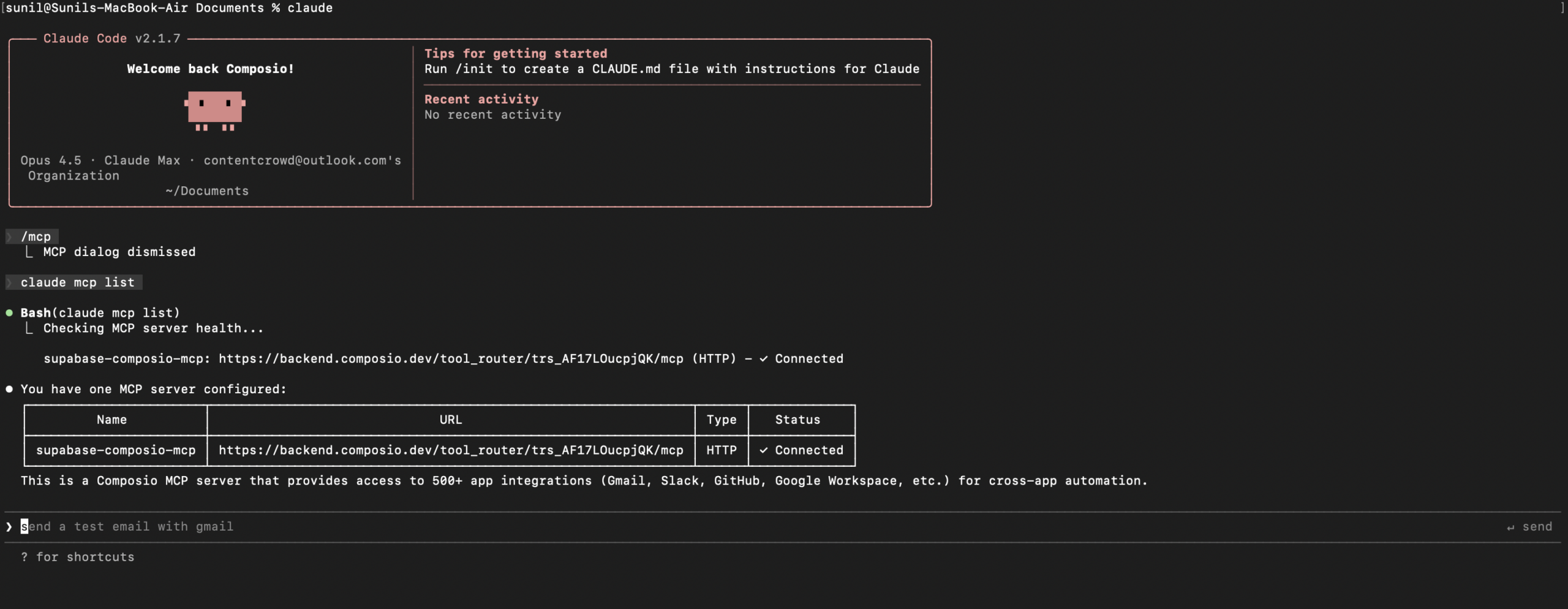
But convenience introduces complexity. Every MCP server is a potential architectural trust boundary and prompt injection in AI systems waiting to be breached. When you connect Claude Code to Snowflake via MCP, you’re not just giving it read access—you’re potentially giving it the ability to execute arbitrary SQL under the guise of “helping” with a query.
The proxy approach mitigates this by keeping the AI’s “brain” (the LLM inference) inside Snowflake while limiting MCP tool access to local, audited connections. You can configure the proxy to reject certain tool calls or require human-in-the-loop confirmation for destructive operations like DROP TABLE.
Cortex Code: The Native Alternative
If proxies feel like a hack (they are), Snowflake’s native Cortex Code offers a cleaner, but more restrictive, path. Available in both Snowsight (free during preview) and a local CLI, Cortex Code uses Anthropic’s Claude models (Sonnet 4.5, Opus 4.5, etc.) but runs them exclusively on Snowflake’s managed infrastructure.
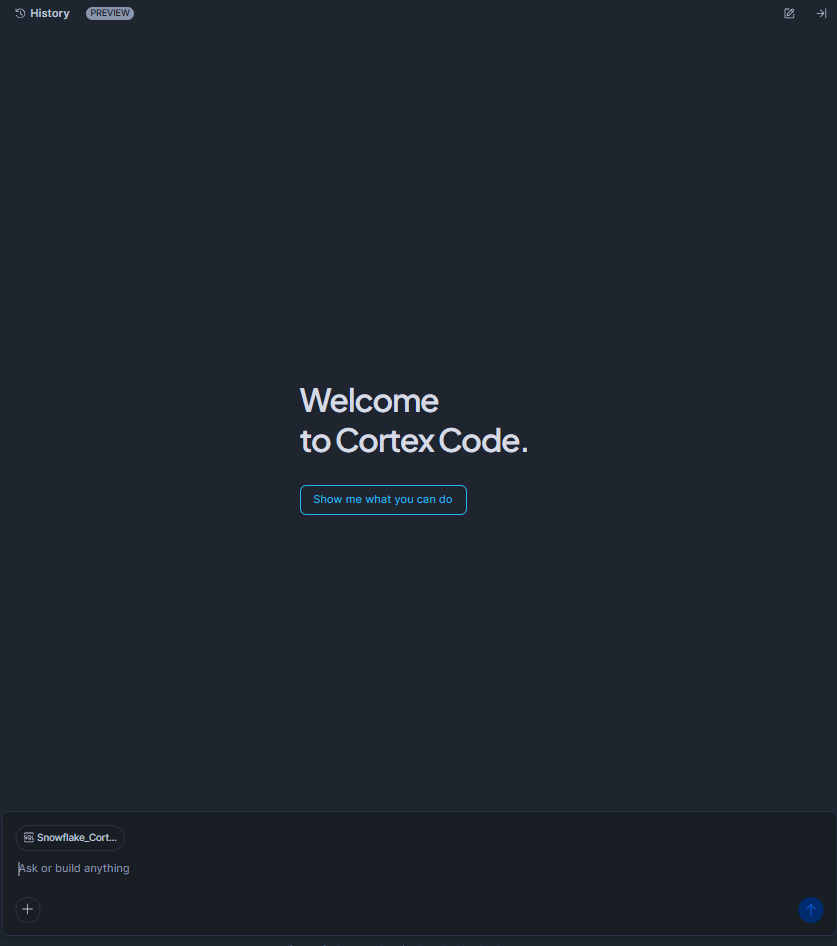
Cortex Code respects your governance policies by design:
Role-based access control
is enforced at the query level. The agent can only access objects your active role permits.
Dynamic data masking
and row access policies are applied to AI-generated queries just like human-written ones.
No data leakage
to external providers. Model inference happens on Snowflake’s Cortex nodes, your data never leaves the account.
The CLI version even supports local file access for dbt projects and Streamlit apps, though it requires careful configuration of Programmatic Access Tokens with scoped privileges. As noted in the setup guides, you’ll want to create a dedicated cortex_code_role and grant it only the SNOWFLAKE.CORTEX_USER and SNOWFLAKE.COPILOT_USER database roles, rather than running as ACCOUNTADMIN.
The Vibe Coding Trap
There’s a dangerous seduction happening in AI tooling right now. Developers call it “vibe coding”, letting the AI agent write, execute, and debug code with minimal oversight, trusting that if it feels right, it must be right.
This is exactly how security risks exposed by open-source AI agent ecosystems turn into production breaches.
When you combine vibe coding with enterprise data, you get a recipe for privilege escalation. An AI agent with access to your Snowflake account might “helpfully” grant itself broader permissions, exfiltrate data via a seemingly innocent SELECT statement, or reshape your software architecture in ways that bypass security controls.
The local proxy model forces a pause. Because the proxy binds to localhost and requires explicit authentication tokens, it introduces friction that prevents “accidental” production access. It’s a reminder that risks of local AI agent execution environments must be balanced against the risks of cloud-based AI leakage.
Implementation: Choosing Your Containment Strategy
If you’re looking to secure AI agents in your Snowflake environment, you have three architectural patterns to consider:
1. The Full Proxy (snowflake-claude-code)
- Best for: Teams already invested in Claude Code who need zero data leakage
- Trade-off: Requires maintaining a local Python service and handling PAT rotation
- Security level: High, data never leaves Snowflake perimeter
2. The MCP Gateway (Composio)
- Best for: Multi-tool workflows requiring dynamic access to Snowflake + other SaaS tools
- Trade-off: Introduces a third-party intermediary into your auth flow
- Security level: Medium-High, depends on Composio’s SOC 2 compliance and your OAuth scopes
3. Native Cortex Code
- Best for: Pure Snowflake shops wanting minimal integration overhead
- Trade-off: Limited to Snowflake’s model availability and UI constraints
- Security level: Maximum, native governance with no external dependencies
Whichever path you choose, enable cross-region inference (ALTER ACCOUNT SET CORTEX_ENABLED_CROSS_REGION = 'ANY_REGION') to ensure access to the latest Claude models, and always, always, review the Diff View before accepting AI-generated SQL changes.
Conclusion: Governance Is Not a Feature, It’s Architecture
The “revolutionary” promise of AI coding assistants mostly revolutionized the speed at which developers can leak data. Snowflake’s governance boundary isn’t just a checkbox—it’s a fortress wall that these new proxy tools let you extend all the way to the developer’s terminal.
By translating Anthropic’s API into Snowflake’s native Cortex Inference, you get the best of both worlds: Claude’s reasoning capabilities with Snowflake’s audit trails. The AI agent becomes just another governed user, subject to the same masking policies, role constraints, and compliance checks as everyone else.
In an era where MCP is the new attack surface, keeping your AI agents inside your data cloud isn’t paranoia—it’s hygiene. Your prompts stay yours. Your data stays governed. And your compliance officer stays off your Slack.
That’s not just secure. That’s sane.