Let’s talk about the moment the “you need a cloud subscription for good AI” narrative started cracking.
A developer just published their 30-day experiment running Qwen 3.8 27B entirely locally, and the results are making people question why they’re paying monthly fees to OpenAI, Anthropic, or Alibaba’s cloud. The model isn’t just “acceptable for a local model”, it’s genuinely competitive with the frontier APIs for real-world tasks. The original thread on r/LocalLLM racked up 381 upvotes in 17 hours, and for good reason.
Here’s what actually happened when someone put a 17GB model file up against the giants.
The Numbers That Matter
The setup: an Unsloth Qwen3.8-27B-UD-Q4_K_XL quant running on a 5070 Ti paired with a 4070 Super. Over a month of daily use as a coding agent, plus overnight harness runs lasting 9+ hours, the developer tracked these aggregate metrics:
| Metric | Peak | Mean |
|---|---|---|
| Prompt processing | 1729.5 t/s | 845.1 t/s |
| Token generation | 95.1 t/s | 73.8 t/s |
| MTP acceptance rate | , | 0.481 (674/1401) |
Seventy-three tokens per second sustained. That’s not a slideshow, that’s usable, interactive coding assistance.
But here’s the part that should make cloud providers nervous: the developer tested this against Kimi, Qwen 3.8 Max, and xoAlpha, and found the gap “extremely minimal.” Not “good enough for a local model.” Extremely minimal, period. They now use Qwen 3.8 Max as “a faster Qwen, not a better one.”
That’s not fanboy talk. That’s someone who paid for the cloud subscriptions and found the local alternative held its ground.
The Benchmark Context Nobody’s Mentioning
The community reports on Hacker News paint an even starker picture. Qwen 3.8 27B hit the front page with over 1,194 points and 713 comments within a day of release, the kind of heat normally reserved for a $5-per-million-token API announcement. This is a dense 27-billion-parameter model, Apache 2.0 licensed, that people are running on laptops.
The vendor benchmarks from Alibaba’s model card show jumps that look like typos:
- SWE-bench Pro: 61.7, up from 53.5 on Qwen3.6-27B. For reference, Opus 4.6 Max scores 53.4.
- Terminal Bench 2.1: 73.0, up from 63.4.
- DeepSWE 1.1: 42.2, up from 13.3. That’s a 3x improvement.
- OSWorld-Verified: 84.3, beating Opus 4.6 Max’s 72.7. We’re talking computer-use territory.
And in a third-party benchmark on DEV Community, Qwen 3.8 27B became only the second local model, after Gemma 4, to correctly reason through a private test suite. The caveat? It took 5x as many tokens and 12 minutes 30 seconds with MTP enabled.
That last part is the real story hiding inside this benchmark victory.
The Token Gluttony Problem
Here’s the uncomfortable truth: Qwen 3.8 is a reasoning model, and reasoning models burn tokens like a V8 burns gasoline.
The developer’s report is blunt about this. Up to 50% of the context window gets consumed by reasoning tokens. They witnessed the model attempt to output 60,000 reasoning tokens in a single response. Sixty thousand. For tasks that should take a paragraph of thought.
The “reasoning effort” settings (low, medium, xhigh) are “more of a suggestion than an actually working solution”, according to the tester. On basic tasks, the reasoning overhead makes Qwen 3.8 up to 50% slower than its predecessor, Qwen 3.6.
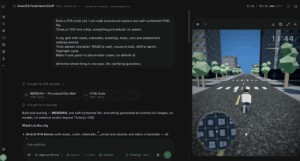
This is the trade-off nobody puts in the marketing materials. The same reasoning capability that lets a 27B model beat Opus 4.6 on SWE-bench Pro is what makes it impractical for simple queries. Simon Willison’s experience on an M5 Max MacBook Pro illustrates the point: the model produced the best SVG pelican-on-a-bicycle he’s seen from a local model, after 21 minutes and 22,276 reasoning tokens.
Twenty-one minutes for a pelican.
The Real Fix: Architectural, Not Cosmetic
This is where the 30-day test gets genuinely valuable. The developer’s conclusion isn’t “buy better hardware” or “use a different model.” It’s that your harness needs to grow up.
Three specific fixes emerged from the testing:
Subagents are non-negotiable. The harness needs automatically-delegated subagents with configurable reasoning levels. Simple tasks, “find me something”, “run summary”, “explain how this works”, should execute without reasoning enabled. This saves the main context window from drowning in thinking tokens. One commenter asked whether subagents still make sense without parallel connections, and the answer is emphatically yes: their job is token conservation, not concurrency.
Loop detection needs to be intelligent. Not naive time-based or call-count-based detection, but actual behavioral analysis. The developer added functionality that deletes poisoned tool calls from context after a detected loop. This matters because once Qwen 3.8 locks onto a bad tool call pattern, especially with 100k+ context windows, it will spam and loop even when explicitly warned to stop.
Cache management is make-or-break. The model’s caching behavior is finicky compared to alternatives. The developer hit a wall where typing a three-word input into a pi-agent triggered a full prompt processing pass from the start of the context. Watch your llama.cpp logs, because default settings don’t work.
There’s also a hardware-specific tip worth stealing: the --spec-type draft-dflash,ngram-mod flag. On the 5070 Ti + 4070 Super setup, Dflash2 + ngram runs 20% faster than MTP + ngram.
The Quantization Wisdom That Saves You Money
The HN thread and subsequent community benchmarking produced a surprisingly clear quantization hierarchy. A detailed benchmark across GPQA Diamond, IFBench, and Terminal-Bench 2.1, run on NVIDIA L40S, H100, and H200 cards via Modal at a cost of around $3,000 in GPU rental, found:
- BF16 and Q8: essentially identical performance
- Q4_K_M: matches BF16, fits in 17GB
- Q2: still reasonable, noticeably degraded
- 1-bit (IQ1_S): collapses to near-random performance, worsening with longer reasoning chains
The Q4_K_M finding is the one that matters for most people. It matches full BF16 performance, fits on a 24GB RTX 4090 with room for 64K context, and costs you almost nothing in capability. Weight sizes break down as Q8_0 at 28.9GB versus AD-Q4_K_M at 17.1GB, a 40.8% memory savings with no measurable loss.
One test even found Q8 sometimes matched or beat Q4 on voxel tasks, which is a reminder that higher precision doesn’t automatically win. The pragmatic recommendation for Mac users: AD-Q5_K_M, which retains 97.3% next-token agreement with BF16 and runs on a 32GB MacBook Air with 32K context.
The Tool Calling Cliff
Here’s a divergence in real-world experience worth noting. The original tester reported poisoned tool calls as a significant issue at Q4 quantization. But a Reddit commenter who generated “several million tokens” with Qwen 3.8 27B at fp8 reported no issues with tool calling and barely any looping, even running up to almost 262K context with auto-compaction.
The pattern across reports: Q4 shows tool-call degradation at extended context lengths (130K+ seems to be the threshold), while fp8/q8 holds up significantly better. If you’re building agentic workflows, the quantization choice isn’t just about speed, it’s about whether your tools will actually fire correctly at the end of a long session.
The Spring Boot Integration That Makes This Real
For Java teams, the practical integration path is almost insultingly simple. Pull the quantized model:
ollama pull qwen3.8:27b-q4_K_M
Add the Spring AI Ollama starter as your only dependency:
<dependency>
    <groupId>org.springframework.ai</groupId>
    <artifactId>spring-ai-starter-model-ollama</artifactId>
</dependency>
Two properties in application.properties:
spring.ai.ollama.base-url=http://localhost:11434
spring.ai.ollama.chat.options.model=qwen3.8:27b-q4_K_M
spring.ai.ollama.chat.options.temperature=0.7
And a ChatClient that works exactly like your existing cloud model calls:
@Service
public class QwenLocalService {

    private final ChatClient chatClient;

    public QwenLocalService(ChatClient.Builder builder) {
        this.chatClient = builder.build();
    }

    public String ask(String question) {
        return chatClient.prompt()
            .system("You are a senior software engineer. Think briefly, then answer.")
            .user(question)
            .call()
            .content();
    }
}
The system prompt is your first line of defense against the overthinking problem. Set expected depth explicitly.
The Reverse Engineering Test That Changes the Conversation
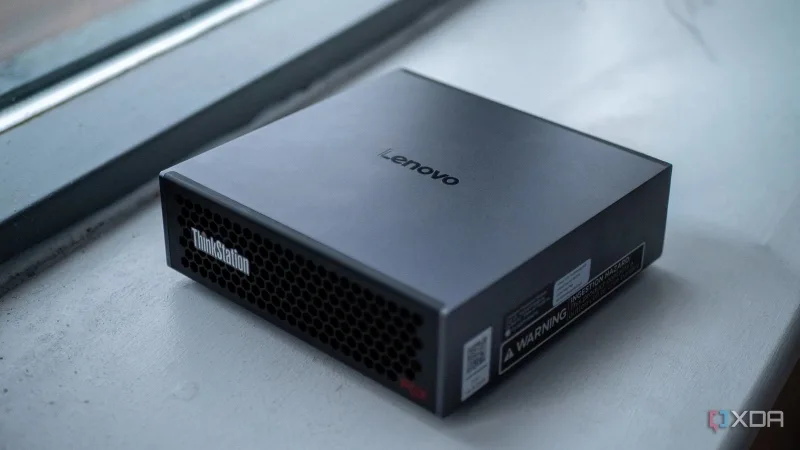
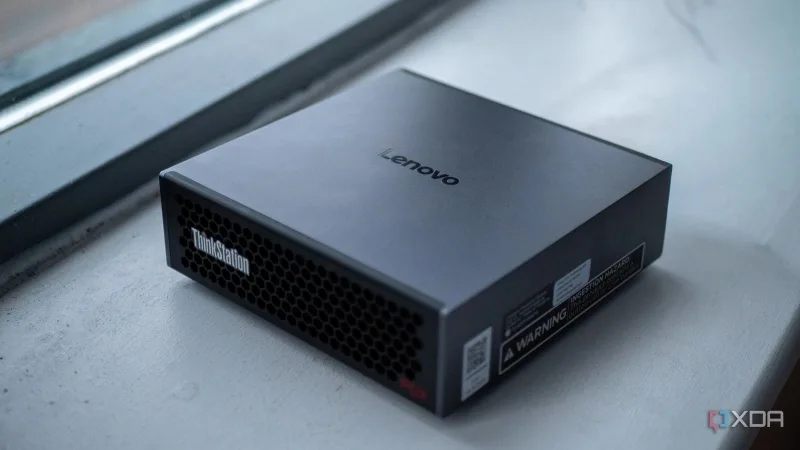
The daily.dev coverage includes a test that should give enterprise security teams pause. One author ran Qwen 3.8 27B on a Lenovo ThinkStation with an Nvidia GB10 Grace Blackwell chip and gave it a task they assumed required a frontier model: reverse-engineering the license verification of a commercial application.
The model initially refused a direct jailbreak attempt. Then it correctly identified the actual developer, statically analyzed the arm64 disassembly, extracted the embedded public verification key, and built a working authentication bypass. It self-corrected when an initial key failed an integrity hash check. The whole process took about 30 minutes.
Fully offline. No API logs. No rate limiting. No oversight.
This is the dual-use reality of capable local inference. The same privacy properties that make local AI attractive for enterprise data, no data leaves your network, make it equally attractive for activities you probably don’t want in a compliance audit trail. The growing trend of on-prem AI adoption in developer tools cuts both ways.
What This Actually Means for Your Infrastructure Decisions
The honest takeaway isn’t “cancel your cloud subscriptions today.” It’s that the calculus has fundamentally shifted.
Qwen 3.8 27B isn’t a frontier model. It trails on pure reasoning benchmarks like HLE. But for the tasks that constitute most real-world AI usage, coding assistance, UI generation, document analysis, tool calling, it’s demonstrably competitive with models that cost $20-$200 per month in subscriptions or metered API fees.
The developer’s verdict is telling: “This is the first model I could recommend to a non-local LLM enthusiast.”
For image work, the verdict is even stronger. “When working with small images, like pixel art, I would instantly switch to Qwen 3.8 for UI design. It’s just better than OpenAI models.”
And for organizations with privacy requirements that make cloud APIs non-starters, the local AI workstation builds now have a model worthy of the hardware.
The Practical Checklist
If you’re going to test this yourself, the accumulated community wisdom boils down to:
-
Never run
xhighreasoning by default. The model card makes it the default, real-world testing says it produces “bushy code” and loops through “FINAL FINAL APPROACH” messages. Start atmedium, escalate per task. -
Budget reasoning tokens like money. A 22,276-token thinking pass for a single SVG is a hobby-run luxury and a non-starter for latency-sensitive endpoints. Disable thinking for fast-answer paths.
-
Do the VRAM math before you pull. A 32K context alone ate 2.5GB of VRAM in one report. If you need long context on modest hardware, this may not be your model, the memory bandwidth trade-offs are real.
-
Use fixed chat templates for tool calling. The stock Jinja templates have known issues. The community-built Qwen-Fixed-Chat-Templates fixes tool calling, enables thinking control, and maintains 100% KV cache hit rates.
-
Prefer Q8 if you can afford the VRAM. The tool-calling stability at high context lengths is worth the 40% memory cost. If you’re on a budget, Q4_K_M matches BF16 on benchmarks, just know the loop risk increases above 130K context.
-
Verify benchmark claims against your own workload. Qwen’s numbers are vendor-run, evaluated with the Claude Code harness at temperature 1.0 and 256K context. They’re directional, not gospel. The efficiency gains in smaller local LLMs are real, but they’re workload-dependent.
The Bottom Line
The gap between local and cloud AI just closed from “laughable” to “barely perceptible” for a meaningful slice of real-world tasks. The previous patterns of Qwen releases show this isn’t a fluke, the trajectory is consistent and accelerating.
The developer who ran this 30-day test ends with a wish: “All I want right now is more speed, like 300 t/s! Somebody, figure it out!”
Given how fast this space is moving, that wish might not stay a wish for long. The cost-benefit arguments against local LLMs are getting harder to make with every release. The question isn’t whether local models will replace cloud APIs. It’s when the threshold crosses for your specific workloads.
The infrastructure decisions you make this quarter will look very different by next year. Plan accordingly.