You’ve got Claude Code humming on your local machine, Genie Code running inside Databricks workspaces for ML workloads, and now the company is mandating Qwen Code as a backup for when Anthropic’s rate limits bite. Maybe GLM is on the docket too. Congratulations, you’ve just inherited a configuration management nightmare that nobody talks about.
The dirty secret of the coding agent revolution is that every tool demands its own config file, its own skill definitions, its own settings. CLAUDE.md. QWEN.md. Genie’s metadata tied to Unity Catalog. Each one is a snowflake, and you’re the poor soul maintaining them all.
The Config Proliferation Problem Nobody Warned You About
When you adopt a single coding agent, life is simple. You write your CLAUDE.md, tweak your .claude folder, and move on. But the moment you introduce a second agent, say Qwen Code as a backup for when Anthropic’s rate limits bite, you’re suddenly maintaining parallel universes of configuration.
The Reddit thread that sparked this post captures the pain perfectly. One developer describes maintaining “a single repo that backs up all my .claude folder settings” only to realize that Qwen demands an entirely separate suite of files. The frustration is palpable: “I don’t want to maintain so many separate files and skills for each agent.”
This isn’t a minor inconvenience. It’s a structural problem that scales with every new agent you adopt. Each tool has its own:
- Config file format: CLAUDE.md vs QWEN.md vs Genie’s Unity Catalog metadata
- Skill definitions: Different syntax, different scoping rules
- Authentication mechanisms: API keys, OAuth, Databricks profiles
- Execution environments: Local CLI, cloud sandboxes, IDE plugins
The developer who posted this question is already maintaining a git repo just to back up their .claude folder. That’s not a workflow, it’s a coping mechanism.
The Current State of Chaos: A Config Graveyard
Let’s map the actual landscape. Each agent demands its own config approach:
| Agent | Config Format | Key Pain Points |
|---|---|---|
| Claude Code | CLAUDE.md, .claude folder | Rich ecosystem but proprietary format |
| Qwen Code | QWEN.md | Separate file, different syntax rules |
| Genie Code | Unity Catalog metadata | Tied to Databricks workspace structure |
| Codex | CLI flags + env vars | No persistent config file |
| Cursor | Settings UI + JSON | IDE-bound, not portable |
The developer who sparked this discussion is already maintaining a git repo just to back up their .claude folder. That’s not a workflow, it’s a coping mechanism. And the problem only gets worse as you add more agents.
The Master YAML File: A Band-Aid, Not a Cure
The most common workaround floating around developer forums is the “master YAML” approach. The logic is seductive: create one source-of-truth config, then use a pre-commit hook to generate the specific markdown files each agent needs.
One developer describes their setup: “We just use a master YAML file as the single source of truth. A simple pre-commit hook can generate the specific agent markdown files from that so you don’t have to maintain them separately.”
Sounds clean, right? But the original poster’s follow-up questions reveal the cracks:
“Does it work in both directions? What if I’m working with Qwen and make a change to QWEN.md and want to push that back up and affect CLAUDE.md?”
This is the rub. A master YAML with a pre-commit hook works great for one-way generation. But the moment you edit QWEN.md directly, because you’re in the middle of a session and need to tweak something, you’ve created a divergence. Now you need a reverse sync mechanism, conflict resolution, and a decision tree for which config wins.
The developer who suggested symlinking all files to a single AGENTS.md under ~/.config/agents/ has a simpler vision, but it assumes the agents can all parse the same format. They can’t. Claude Code expects CLAUDE.md. Qwen expects QWEN.md. Genie Code is “closely tied to the metadata in UC as well as repo/notebook structure”, making it a fundamentally different beast.
Enter Omnigent: Databricks’ Meta-Harness Gambit
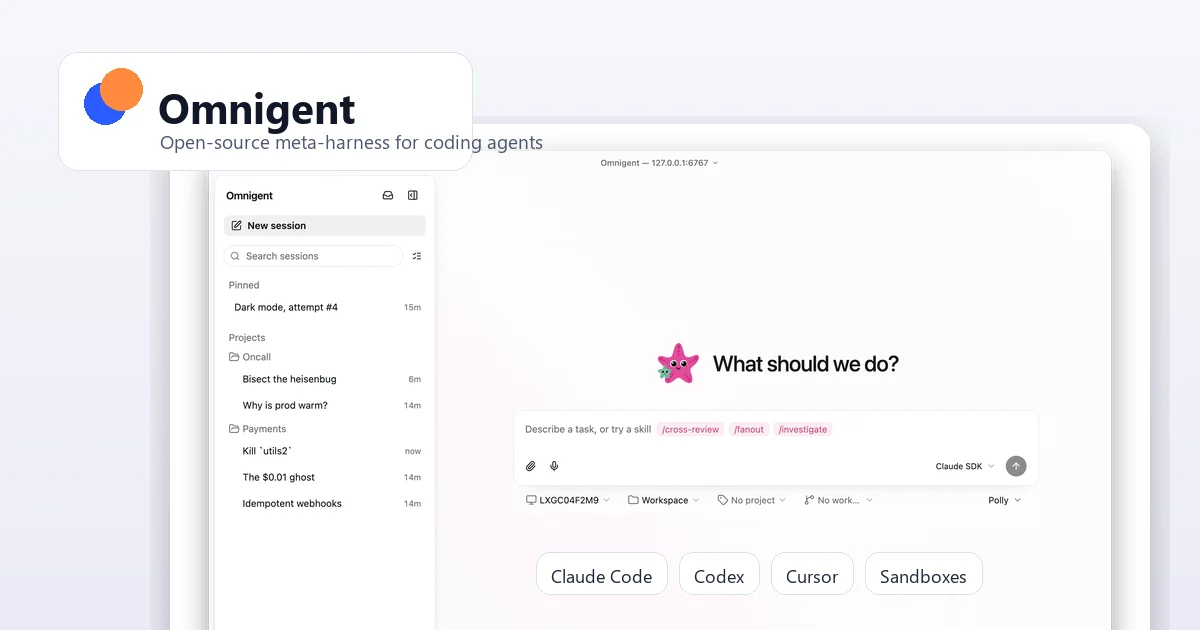
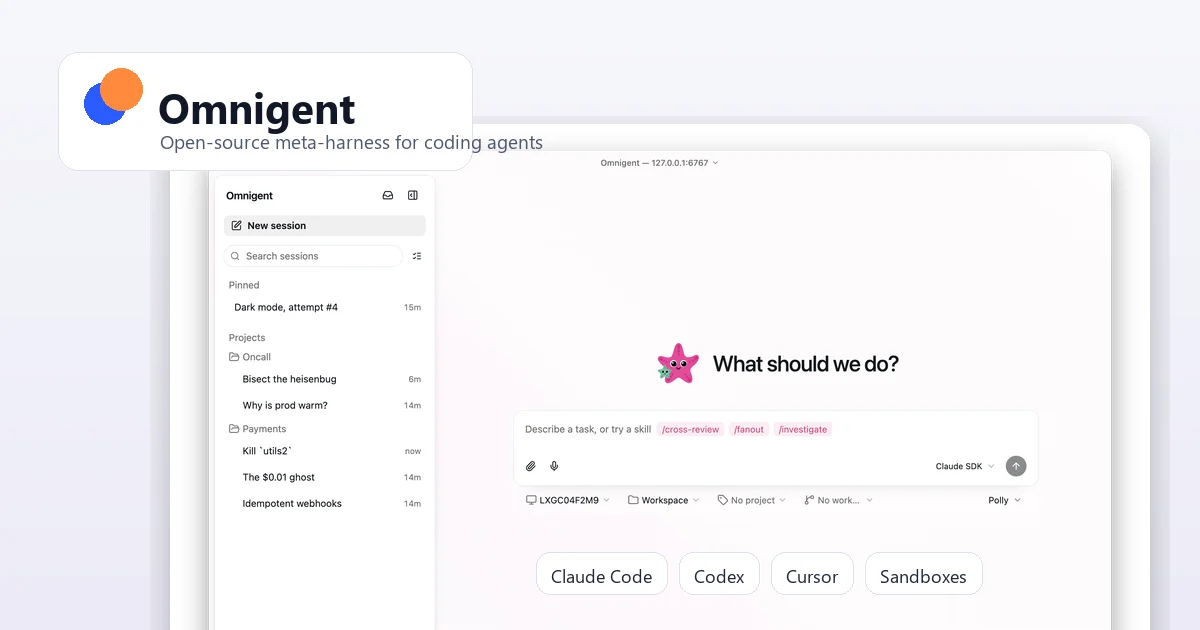
This is where Omnigent enters the conversation. Unveiled at Databricks Summit and now available as an open-source project on GitHub, Omnigent isn’t trying to be yet another coding agent. It’s a meta-harness, a layer that orchestrates the agents you already use.
The pitch is compelling: one YAML file to define an agent, one CLI to run it, and the ability to swap harnesses without rewriting your config. The project’s GitHub description says it all: “orchestrate Claude Code, Codex, Cursor, Pi, and custom agents, swap harnesses without rewriting, enforce policies and sandboxing, and collaborate in real time from any device.”
How Omnigent Actually Works: The YAML Spec Deep Dive
The core of Omnigent’s approach is refreshingly simple: a single YAML file that defines everything about an agent. Here’s the minimal example from their spec:
name: hello_agent
prompt: |
  You are a concise assistant. Answer directly and ask a follow-up question when
  the request is ambiguous.

executor:
  harness: claude-sdk
  model: databricks-claude-sonnet-4-6
  auth:
    type: databricks
    profile: oss
That’s it. One file. One omnigent run path/to/agent.yaml command. The harness abstraction means you can swap claude-sdk for qwen or cursor without touching anything else in the config.
The YAML spec is surprisingly comprehensive. You can define:
- Executor: Which harness (Claude SDK, OpenAI Agents, Codex, Cursor, Qwen, Kimi, Copilot, etc.) and which model
- Tools: MCP servers, Python function tools, sub-agents with their own harnesses
- Policies: Guardrails that inspect requests, responses, tool calls, and tool results
- OS Access: Sandboxed file and shell access with configurable containment
- Terminals: Named interactive shell environments the agent can launch
- Auth: Per-agent credential management with Databricks profiles, API keys, or provider configs
The killer feature? You can define sub-agents with different harnesses in the same YAML file:
tools:
  coder:
    type: agent
    executor:
      harness: cursor
      model: gpt-5
  reviewer:
    type: agent
    description: Review proposed code changes.
    prompt: |
      You are a careful code reviewer. Focus on correctness, tests, security,
      and maintainability.
    executor:
      harness: claude-sdk
      model: databricks-claude-sonnet-4-6
One agent codes in Cursor. Another reviews in Claude. All from the same config file. This is the unification dream.
The Meta-Harness Thesis: Why It Matters
The developer who posted the original question nailed the core insight: “The meta-harness thesis makes a lot of sense and in theory should make switching between any model trivial.”
But here’s where it gets interesting. The same developer admits: “Claude is quite sticky right now because of all the configs but with costs exploding across the org, I can see a top down push to rein that in.”
This is the hidden driver of the config unification problem. It’s not just about convenience, it’s about vendor lock-in through configuration debt. The more deeply you’ve configured Claude Code, the harder it is to switch to Qwen, even if Qwen is cheaper or better for certain tasks. Your configs are golden handcuffs.
The Omnigent Architecture: What’s Actually Under the Hood
Omnigent’s approach is built around a YAML spec that defines everything about an agent in one place. The spec covers:
- Executor configuration: Harness type (claude-sdk, openai-agents, codex, cursor, qwen, kimi, copilot, antigravity, etc.), model selection, and authentication
- Tools: MCP servers, Python function tools, sub-agents with their own harnesses
- Policies: Guardrails that inspect requests, responses, tool calls, and tool results
- OS Access: Sandboxed file and shell access with configurable containment
- Terminals: Named interactive shell environments the agent can launch
The key insight is that Omnigent doesn’t try to replace your agents. It wraps them. You keep using Claude Code’s strengths for certain tasks and Qwen’s for others, but you define everything in one place.
The Practical Reality: What Works and What Doesn’t
The Reddit thread reveals a spectrum of approaches, from the pragmatic to the aspirational:
The Symlink Approach: One developer suggests creating an AGENTS.md file and symlinking all agent-specific configs to it. Simple, but it assumes all agents can parse the same format, which they can’t.
The Master YAML + Pre-commit Hook: Generate agent-specific configs from a single source of truth. Works for one-way generation, but bidirectional sync is a nightmare.
The Omnigent Meta-Harness: Define everything in one YAML file, let Omnigent handle the translation to each agent’s native format. This is the most ambitious approach, but it’s still alpha software.
The developer community is already experimenting with these approaches. One user reports: “Omnigent from Databricks is so far quite promising, I’m using it to easily switch between harnesses as well as wire up Claude, OSS and GPT models into more complicated patterns.”
But another user raises a valid concern: “I have not seen it mentioned in the documentation for Databricks so I would check to make sure it is real before assuming it can solve my problem.”
The Security Angle: Why Config Unification Matters Beyond Convenience
This isn’t just about developer convenience. When you’re running multiple agents with different configs, you’re also managing multiple security postures. Each agent has its own approach to sandboxing, credential management, and tool access.
The security risks of running local AI agents are well-documented. Omnigent’s policy layer addresses this directly, you can define guardrails that inspect requests, responses, tool calls, and tool results, all from a single YAML file.
policies:
  pii_guard:
    type: function
    handler: my_package.policies.pii_guard
    on: [request, response]
  workspace_policy:
    type: function
    handler: my_package.policies.make_workspace_policy
    factory_params:
      allowed_hosts:
        - example.cloud.databricks.com
This is a significant step forward. Instead of hoping each agent handles security the same way, you define policies once and apply them everywhere.
The Alternatives: You Have Options
Omnigent isn’t the only game in town. The meta-harness space is heating up fast, with several alternatives worth considering:
- Claude Squad: Open-source terminal app for managing multiple AI coding agents across isolated workspaces
- Superset: Worktree-based macOS editor for running and reviewing multiple CLI coding agents in parallel
- Vibe Kanban: Kanban control plane for planning, running, and reviewing multiple coding agents
- SWE-ReX: Open-source sandboxed execution layer for coding agents
- Agentic Orchestrator: DoorDash’s open-source TUI for multi-phase coding-agent workflows
Each takes a different approach to the same fundamental problem: how do you manage multiple agents without losing your mind?
The Verdict: Is Omnigent Ready?
The honest answer is: it depends on your tolerance for alpha software. Omnigent is promising, but it’s not mature. The project’s own documentation acknowledges this: “The project is still marked alpha, so teams should expect churn in APIs, harness support, and deployment expectations.”
Windows support is degraded. The sandboxing is platform-dependent. And Omnigent doesn’t remove the need to understand each underlying harness, it just gives you a unified way to configure them.
But for teams already running multiple agents, the value proposition is clear. One developer reports: “I’m using it to easily switch between harnesses as well as wire up Claude, OSS and GPT models into more complicated patterns.”
The Bottom Line: Standardize or Suffer
The config unification problem isn’t going away. As more organizations adopt multiple coding agents, for cost optimization, redundancy, or specialized capabilities, the pain of maintaining parallel configs will only intensify.
The solutions available today range from the pragmatic (master YAML + pre-commit hooks) to the ambitious (Omnigent’s meta-harness). None are perfect, but the trajectory is clear: the market is moving toward a standardization layer.
If you’re already feeling the pain of maintaining CLAUDE.md, QWEN.md, and Genie configs simultaneously, you have three options:
- DIY with scripts and symlinks: Works for small setups, breaks at scale
- Adopt a meta-harness like Omnigent: Promising but alpha, evaluate carefully
- Standardize on fewer agents: The nuclear option, but sometimes the right call
The developer who started this discussion is asking the right questions. The config unification problem is real, and it’s only going to get worse as more agents enter the market. Whether Omnigent is the answer or just another tool in the pile depends on your tolerance for alpha software and your willingness to bet on a standardization layer that’s still finding its footing.
One thing is certain: the era of maintaining five different config files for five different agents is unsustainable. Something has to give. The question is whether Omnigent, or something like it, will be the thing that finally makes the config nightmare go away.
For those considering running Qwen models locally as an alternative to cloud AI, the config unification problem becomes even more acute. And if you’re worried about the security risks of running local AI agents, Omnigent’s policy layer might be exactly what you need.
The config unification problem isn’t going to solve itself. But with tools like Omnigent entering the space, the conversation is finally shifting from “how do I maintain five config files” to “how do I define my agent once and run it everywhere.” That’s progress, even if the path is still being paved.