The Notebook Paradox: Essential for Exploration, Fatal for Production
The data science community has been trying to kill the Jupyter notebook for nearly a decade. Yet here we are in 2026, and notebooks remain the default environment for 73% of exploratory data analysis, according to recent developer surveys. The persistence isn’t stubbornness, it’s a symptom of a deeper architectural failure in how we move from idea to production.
The State of the Notebook: A Reddit Reality Check
A recent thread on r/datascience captured the tension perfectly. When asked about notebook usage patterns, the top-voted response was blunt: “I exclusively use notebooks for exploratory data analysis.” The entire lab agreed. Another engineer added: “We use them to experiment and prototype a few pipeline steps. Then, when we are ready, we move everything to py scripts.”
This two-step dance, notebook for discovery, scripts for deployment, is the dominant pattern across industries. But the friction is visible. One commenter noted their team has been “experiencing with the ladder” (sic) of AI tools to automate notebook-to-script conversion, reporting “a lot of success” but admitting they’re “more on the engineering side than the science side.”
The AI refactoring dream is real, but limited. As the original poster observed: “Especially now that AI tools are everywhere and GenAI still not great at working with notebooks.” This is the core tension: we have powerful AI coding assistants that can generate entire applications from prompts, but they stumble on the messy, stateful, cell-executed chaos of a typical notebook.
Why the Gap Persists: It’s Not Just Technical
The notebook-to-production gap isn’t a tooling problem, it’s an ownership problem. As one data scientist put it in a separate thread about becoming “full-stack”: “Full stack is mostly about ownership, not title. When I owned a model end-to-end, I was forced to learn logging, monitoring, and deployment. Before that, I was just a notebook person.”
This reveals the real anti-pattern: organizational structures that create artificial walls between experimentation and operations. The handoff you describe, “putting the tested version python scripts into git, data engineering/production team clones and implements it”, is often an intentional boundary, not a personal gap. But it’s a boundary that introduces latency, miscommunication, and a fundamental disconnect between the scientist who understands the model and the engineer who understands the system.
The cost of this disconnect is measurable. Teams report spending 40-60% of their ML project time on “productionalization” tasks: refactoring notebook code, adding error handling, implementing monitoring, and wrestling with dependencies that were never declared in the notebook environment.
Platform Promises: SageMaker and the Lock-In Trap
AWS SageMaker recognized this gap early, offering integrated Jupyter notebooks as a core feature. The pitch is compelling: stay in notebooks, but get one-click deployment, automatic scaling, and built-in monitoring. As the TrueFoundry analysis notes, SageMaker provides “Integrated Jupyter notebooks to explore data and build models” alongside training jobs, model tuning, and endpoint deployment.
But this convenience comes at a cost. SageMaker’s tight AWS integration creates vendor lock-in that becomes painful at scale. The pricing model can be opaque, and the platform’s opinionated nature often fights against teams who want granular control over their infrastructure. For organizations processing billions of transactions daily, the “SageMaker tax” becomes a real budget line item.
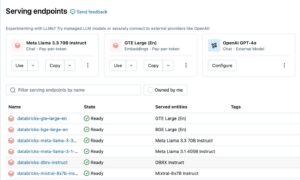
The alternatives are trying to solve this differently. TrueFoundry promises “notebook to production in under 15 minutes” with a Kubernetes-native, cloud-agnostic approach. BentoML focuses purely on packaging models as APIs, letting teams keep their notebook workflow but providing a clean path to deployment. Databricks unifies data engineering and ML, but as we’ve examined in the Databricks tax analysis, small teams often can’t afford the complexity of building their own lakehouse just to escape notebook hell.
The AI Refactoring Mirage
Here’s where AI tooling gets interesting, and frustrating. Modern AI coding assistants like Windsurf, Cursor, and Aider excel at cross-file refactoring. Windsurf’s agent-like behavior can “plan changes before making them” and “refactor changes across different files.” This sounds perfect for notebook conversion.
But the reality is messier. Notebooks aren’t just code, they’re state, narrative, and exploration. A cell that trains a model for 20 minutes, another that manually inspects 50 rows, a third that generates a plot with specific matplotlib settings, this isn’t a linear script, it’s a thought process. AI tools can translate syntax, but they can’t translate intent. They don’t know which cells are critical for production and which were dead ends.
One promising approach is Quarto notebooks, which generate executable Python files with low token overhead for AI models while maintaining Git tracking. As one researcher noted: “I get executable python files with low token overhead for AI models and Git tracking, but can still generate reports and documents with graphs and tables to share my results.” This hybrid model, treating notebooks as source documents that compile to scripts, might be the bridge we need.
The Full-Stack Reality Check
The debate about notebooks often masks a deeper question: what does “full-stack data science” actually mean? One detailed breakdown identified six tracks: product, data, project management, science, engineering, and accountability. That’s not a job description, it’s an entire team.
Yet startups and lean organizations compress these roles into one person. The result is a tension between rigor and velocity. As one commenter warned: “Startups can compress these roles, but rigor often gets traded for speed, so you end up learning workarounds more than good systems.”
The notebook becomes a symbol of this tension. It’s fast, flexible, and forgiving, perfect for speed. But it’s also opaque, untestable, and fragile, terrible for rigor. The question isn’t whether notebooks are good or bad, but whether your organization has the maturity to manage the trade-offs they represent.
Enterprise Illusions: Fabric and the Unified Dream
Microsoft Fabric represents the enterprise attempt to solve this holistically, one platform to replace your fragmented data stack, with Power BI integration and unified governance. The promise is compelling: notebooks that seamlessly flow into production pipelines, all under one roof.
But as our analysis of Fabric’s production readiness reveals, the reality is nuanced. Since launching, Fabric has attracted thousands of organizations, but the “one platform” dream often becomes a “one platform to rule them all” nightmare. The governance features that make it attractive to IT leaders can become friction points for data scientists who just want to iterate quickly.
The cost dimension is equally complex. Our benchmarking of Databricks serverless jobs showed that convenience comes with shocking costs at scale. The serverless promise of hands-off infrastructure can double your compute bill if you’re not careful.
A Path Forward: Embrace the Mess
So are notebooks a production anti-pattern? Yes and no. They’re an anti-pattern if you treat them as production code. But they’re essential if you treat them as what they are: interactive documents for thinking with data.
The real anti-pattern is the binary choice between notebooks and scripts. The future belongs to hybrid workflows that preserve the exploratory power of notebooks while enforcing production discipline:
- Notebook as spec: Use notebooks for EDA and model prototyping, but treat them as disposable specifications, not code artifacts.
- Automated translation: Use AI tools to generate initial script versions, but have engineers review and harden the code.
- Component extraction: Build a library of reusable, tested functions that notebooks can import, keeping business logic out of cells.
- Metadata as code: Store hyperparameters, data paths, and configuration in version-controlled files, not notebook cells.
- Continuous validation: Run notebooks in CI/CD pipelines to ensure they still execute, even if you don’t deploy them directly.
As one SageMaker alternative analysis noted, the key is “faster time to production with simplified deployment pipelines (no heavy AWS setup)” while maintaining “built-in observability with integrated metrics and logging dashboards.” This is the bar any solution must clear.
The Notebook Isn’t the Problem, You Are
The spicy take: notebooks survive because they match how data scientists actually work, not how we wish they worked. The production anti-pattern isn’t the notebook itself, but organizations that refuse to invest in the engineering rigor needed to support the notebook-to-production transition.
If your data scientists are “just notebook people”, that’s a failure of ownership and culture, not tooling. The best teams don’t eliminate notebooks, they build guardrails. They create clear contracts: notebooks for exploration, versioned scripts for deployment, and platform teams that smooth the path between them.
The AI tooling explosion will help, but it won’t fix organizational dysfunction. Windsurf can plan your refactoring, Cursor can generate your tests, and TrueFoundry can deploy your model in 15 minutes. But none of these tools can decide who owns the monitoring dashboard or who gets paged when the model drifts.
Until we address the ownership gap, notebooks will remain data science’s indispensable anti-pattern, a tool we love to hate and hate to love, but can’t seem to quit. And maybe that’s okay. The goal isn’t to kill the notebook, it’s to build systems that make the notebook irrelevant to production, while preserving its power for exploration.
Next Steps for Teams
- Audit your current notebook-to-production workflow. Where does time get lost?
- Implement a “notebook review” process where data scientists present findings, not code, to engineers.
- Experiment with Quarto or similar tools that give you Git-friendly source files.
- Set up automated CI checks that run notebooks and flag cells with manual interventions.
- Read our deep dive on Lyft’s hybrid ML platform approach for a real-world example of balancing prototyping and production needs.
The notebook paradox won’t resolve itself. But with intentional process design and the right hybrid tooling, you can make it a strength rather than a liability.