Databricks Serverless Jobs promise hands-off infrastructure and automatic scaling. After running 4,750 TPC-DS queries across three compute planes, the data reveals a more complicated story, one that should make any engineering leader think twice before migrating production workloads.
The serverless revolution has conditioned us to believe that abstracting away infrastructure is always a win. Databricks’ marketing certainly pushes this narrative: why wrestle with cluster configurations when serverless can handle everything automatically? But a comprehensive benchmark from Capital One’s engineering team challenges this assumption with cold, hard data from production-scale testing.
The Benchmark: 5,000 Queries Don’t Lie
The testing methodology mirrors real-world analytics workloads. Using TPC-DS Scale Factor 1000 (1TB of data) and Scale Factor 1 (1GB), engineers executed 95 complex queries representing typical analytical patterns:
- Multi-table joins with varying selectivity
- Window functions and aggregations
- Mixed complexity from simple lookups to massive shuffles
Across more than 4,750 query executions, they measured actual DBU consumption from system.billing.usage, real list pricing, AWS infrastructure costs, and latency percentiles that determine SLA viability.
Three compute planes were tested:
– Jobs Classic: Standard clusters with configurable Photon and Spot instances
– Jobs Serverless: Both Standard (cost-optimized) and Performance variants
– Serverless SQL Warehouses: Small, Medium, Large, and X-Large configurations
The results split into two clear narratives, one surprising, one shocking.

Jobs Classic vs. Jobs Serverless: The Head-to-Head
At first glance, serverless appears competitive. The median (P50) performance is nearly identical: 5.41 seconds for Jobs Classic vs. 5.41 seconds for Serverless Standard. Serverless even uses fewer DBUs, 37 vs. 60 for Classic. This is where most evaluations stop, and it’s exactly where the real story begins.
| Configuration | P50 (sec) | P90 (sec) | P99 (sec) | DBUs | Total cost |
|---|---|---|---|---|---|
| Jobs Classic (baseline) | 5.41 | 26.86 | 82.22 | 60 | $10.22 |
| Jobs Serverless – Standard | 5.41 | 32.11 | 231.45 | 37 | $12.95 |
| Jobs Serverless – Performance | 5.37 | 26.71 | 159.08 | 52 | $18.20 |
The 133% DBU rate premium for serverless ($0.35/DBU vs. $0.15/DBU) completely negates any efficiency gains. Let’s break down the math:
- Jobs Classic: (60 DBUs × $0.15) + $1.29 AWS = $10.22
- Jobs Serverless Standard: (37 DBUs × $0.35) = $12.95
- Jobs Serverless Performance: (52 DBUs × $0.35) = $18.20
You’re paying 27% more for the Standard tier and 78% more for Performance, while getting worse performance where it matters most.
The P99 Problem: Where Serverless Hits a Wall
If you care about production SLAs, P99 latency is your critical metric. It’s the worst-case scenario that still happens regularly enough to trigger incidents. The benchmark exposes a brutal reality:
- Jobs Classic P99: 82.22 seconds
- Jobs Serverless Standard P99: 231.45 seconds (2.8x slower)
- Jobs Serverless Performance P99: 159.08 seconds (1.8x slower)
For revenue reports, fraud detection, or real-time analytics, this variability creates consistency issues that undermine trust in the data platform. A P50-to-P99 ratio of 42.8x for Serverless Standard indicates extreme performance variance, your “fast” queries and “slow” queries are worlds apart.
The Worker Count Optimization Curve
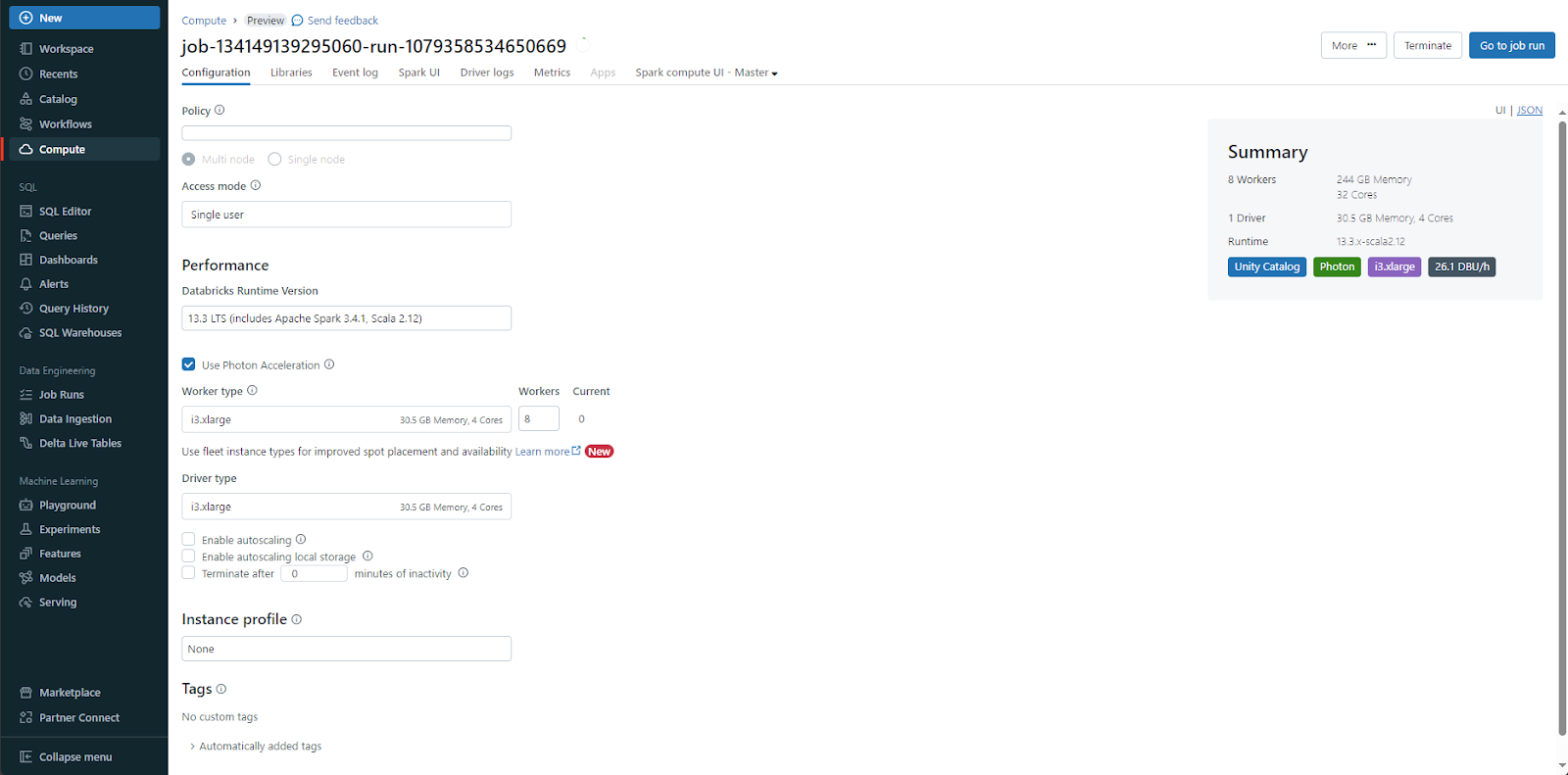
Classic clusters offer tuning levers that serverless abstracts away. The benchmark tested different worker counts, revealing a non-intuitive relationship:
| Configuration | DBUs | Total cost | P99 (sec) |
|---|---|---|---|
| 8 workers (baseline) | 60 | $10.22 | 82.22 |
| 6 workers | 39 | $6.79 | 98.43 |
| 4 workers | 94 | $14.78 | 470.74 |
| 2 workers | 96 | $14.77 | 240.40 |
Scaling down to 6 workers reduces DBU consumption by 35% and cuts total cost by 34% with only a modest P99 increase. But scaling further to 4 workers increases costs by 45% due to inefficient resource utilization. This U-shaped cost curve demonstrates why right-sizing remains critical, and why serverless’s “one size fits all” approach can backfire.
The Photon Tax: Performance at a Price
Photon, Databricks’ native C++ vectorized engine, delivers significant speedups but at a measurable DBU premium:
| Configuration | DBUs | P99 (sec) | Cost/query | Insight |
|---|---|---|---|---|
| Photon + Spot enabled | 60 | 82.22 | $0.094 | Baseline |
| Photon disabled + Spot enabled | 42 | 163.10 | $0.067 | 23% cheaper, 2x slower |
| Photon disabled + Spot disabled | 41 | 285.64 | $0.064 | 9% cheaper, 3.5x slower |
Photon adds a 43% DBU premium (60 vs. 42 DBUs) while halving P99 latency. Whether this tradeoff makes sense depends on your SLA requirements, but it’s a choice you can only make with Classic compute. Serverless offers no such toggle.
Serverless DBSQL: The Plot Twist
Just when the data seems to damn all serverless options, the benchmark reveals a different story for SQL-optimized compute. Running the same TPC-DS workload on serverless SQL warehouses produces staggering results:
| Configuration | P99 (sec) | Total cost | Cost vs. Classic |
|---|---|---|---|
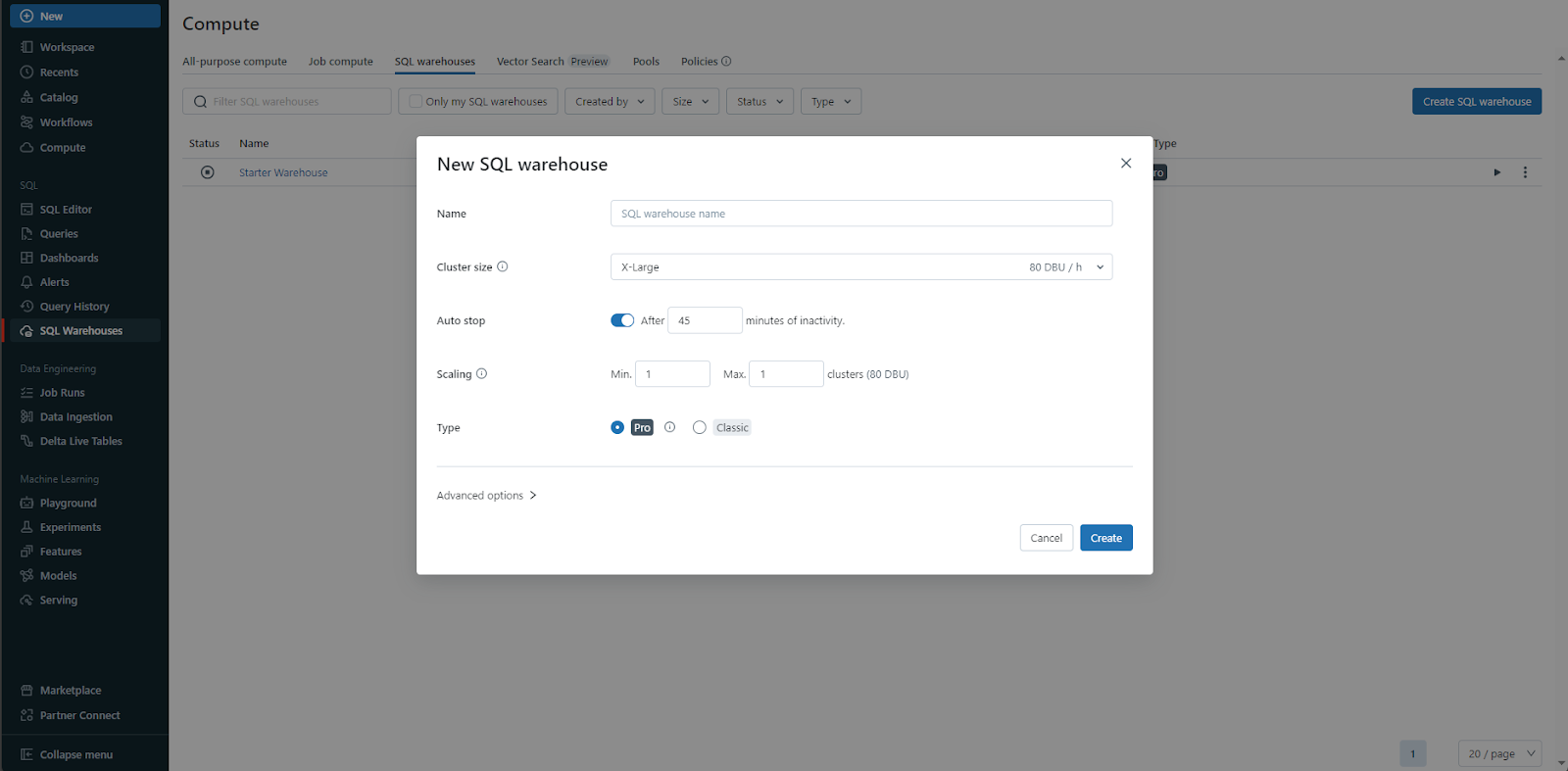
| Small warehouse | 33.56 | $1.80 | 82% cheaper |
| Medium warehouse | 2.05 | $2.70 | 74% cheaper |
| Large warehouse | 2.10 | $3.20 | 69% cheaper |
| XL warehouse | 2.02 | $6.30 | 38% cheaper |
| Jobs Classic | 82.22 | $10.22 | Baseline |
The medium warehouse achieves a 40.1x faster P99 (2.05s vs. 82.22s) while costing 74% less. Even with a 4.67x higher DBU rate ($0.70 vs. $0.15), the computational efficiency overwhelms the price difference. SQL warehouses consume 15x fewer DBUs (3.86 vs. 60) through optimizations like:
- Native Photon acceleration (included, not optional)
- Persistent compilation caches between queries
- Columnar caching optimized for analytical patterns
Performance Predictability: The Hidden SLA Killer
Beyond raw speed and cost, the coefficient of variation (CV) reveals stability differences:
| Configuration | CV | P50-P99 spread | Real-world impact |
|---|---|---|---|
| Medium warehouse | 0.253 | 2.3x | Perfect for user-facing analytics |
| Jobs Classic | 1.236 | 15.2x | Acceptable for batch ETL |
| Jobs Serverless Standard | 2.023 | 42.8x | Wildly unpredictable |
A CV of 0.253 means standard deviation is just 25% of the mean, tight, consistent performance. Jobs Serverless Standard’s CV of 2.023 indicates standard deviation exceeds the mean, explaining why slow queries can take 3-4x longer than average. For SLA-driven pipelines, this unpredictability is often a deal-breaker.
The Uncomfortable Truth About Serverless Compute
The benchmark reveals two contradictory truths:
-
Jobs Serverless is a raw deal: Despite using 13-38% fewer DBUs, the 2.33x higher DBU rate makes it 27-78% more expensive than Classic while delivering 1.8-2.8x worse P99 performance.
-
Serverless DBSQL is a steal: The 4.67x higher DBU rate is more than offset by 6-23x better DBU efficiency, resulting in 38-82% cost savings and 5.9-40x performance improvements.
This split points to an architectural reality: Databricks’ Jobs Serverless appears to carry overhead that prevents it from matching Classic performance even in ideal comparisons. The pricing model then compounds this inefficiency. SQL warehouses, purpose-built for analytical patterns, avoid this trap entirely.
When to Use What: A Decision Framework
Based on the data, here’s a clear rubric for workload placement:
Use Serverless SQL Warehouses for:
– Pure SQL transformations and dbt models
– Data quality checks and testing
– Reporting, BI, and dashboard refreshes
– COPY INTO data ingestion
– Large-scale aggregations
Use Jobs Classic for:
– R/Python/Scala UDFs and complex logic
– Machine learning windows
– Streaming applications
– Custom libraries and dependencies
– File format conversions
Avoid Jobs Serverless for:
– Any workload requiring predictable P99 latencies
– Cost-sensitive batch processing
– Production pipelines with strict SLAs
The only scenario where Jobs Serverless might make sense is when your engineering team literally cannot manage cluster configurations, and you’re willing to pay a 78% premium for that convenience.
Conclusion: Question the Narrative
After nearly 5,000 TPC-DS queries, the data challenges the serverless orthodoxy. For the vast majority of production data workloads, predictable ETL pipelines, scheduled analytics, and SLA-driven processing, Classic Jobs deliver better performance, lower costs, and more reliable execution than their serverless counterparts.
The real winner isn’t Jobs Serverless or even Jobs Classic. It’s Serverless DBSQL warehouses, which aren’t just for BI anymore. For analytical SQL workloads, they’re 40x faster at equal or lower cost, with performance predictability that makes 2-second SLAs achievable.
Before migrating to serverless, run your own benchmarks. Download the TPC-DS notebooks and test against your actual workloads. The 133% DBU rate premium might be worth it for zero management overhead, but only if the performance characteristics match your needs.
The serverless revolution isn’t dead. It’s just that not all serverless is created equal. Sometimes the best “serverless” option is the one purpose-built for your workload, even if it costs more per DBU.
Validate these results yourself: Download the benchmark notebooks and run them against your workloads. The Capital One team has made the full methodology and code available for reproducibility.
The benchmark data and methodology referenced in this post come from Capital One’s Software blog and a Reddit discussion in r/dataengineering. All performance claims are based on their published results.