The $60,000 ‘Playground’: Why Enterprises Are Buying H200 Rigs Just to Experiment
Your company just dropped the price of a luxury sedan on GPU hardware, handed it to a developer who “does that at home”, and asked them to “get their feet wet.” This isn’t a hypothetical, it’s happening across enterprises right now as teams scramble to deploy industry shift toward on-prem coding assistants before they’ve figured out if they actually need them.
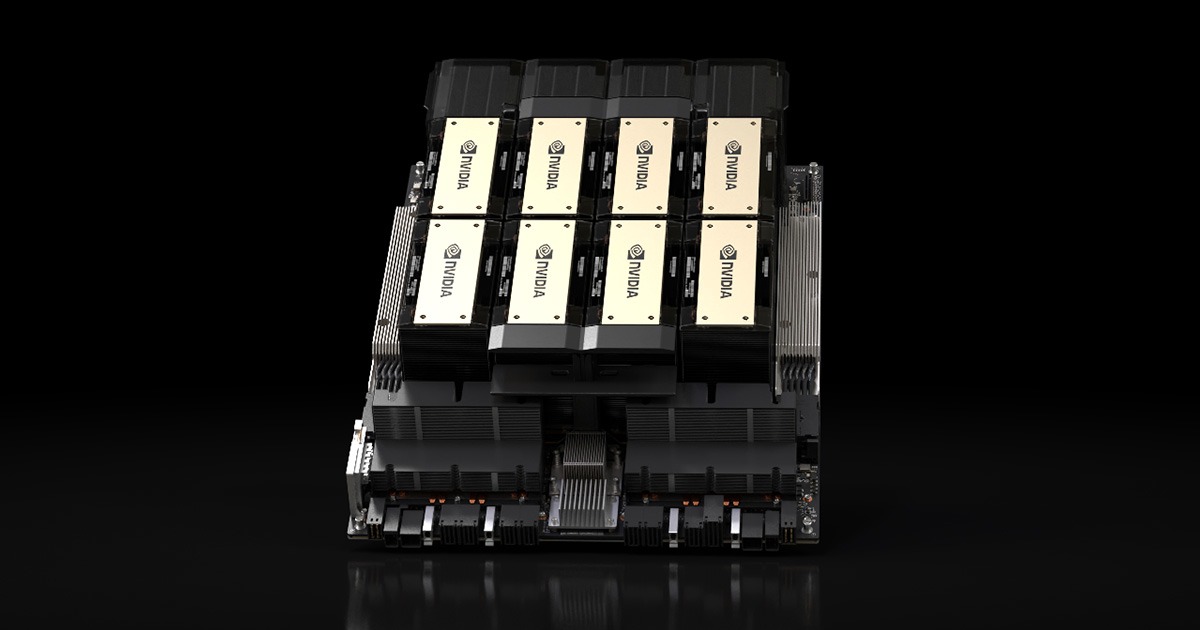
The hardware in question? Dual NVIDIA H200s packing 282GB of HBM3e VRAM. The use case? Running Qwen 3.5 397B for IDE autocomplete and hoping someone can figure out how to spin up an OpenClaw agent without bricking the build pipeline. Welcome to the enterprise local AI surge, where procurement moves faster than engineering maturity.
When “Getting Our Feet Wet” Costs More Than a Tesla
The Reddit post that kicked off this conversation reads like a parody of modern enterprise AI adoption. A developer receives a 2x H200 rig (that’s 141GB per card, for those keeping score) and is told to evaluate LLMs for developer tooling. The kicker? The company doesn’t actually know what they want. As the developer noted, “I think they don’t even know what they want they want.”
This is the unspoken reality of 2026’s AI infrastructure boom. The economic case for switching from cloud APIs to local hardware has become compelling enough that CFOs are signing off on capital expenditures that would have required board approval two years ago. The break-even math is brutal but simple: at roughly 10 million tokens per day, on-premises deployment beats cloud API costs within 12-18 months. For a team of 500 developers hitting an AI-assisted IDE all day, that threshold arrives fast.
But there’s a gap between buying the hardware and knowing what to do with it. That 282GB VRAM figure isn’t just a number, it’s a strategic constraint that dictates your entire model selection.
The VRAM Math That Determines Your Intelligence Ceiling
Let’s talk about what 282GB actually buys you in the model zoo. The formula is unforgiving: model parameters × bytes per parameter (quantization level) + KV cache overhead + 2-4GB of CUDA runtime cruft.
At FP16, a 70B model consumes 140GB just for weights. At INT4/AWQ quantization, you compress that to roughly 35GB, leaving headroom for context windows and concurrent batches. But here’s where the H200 changes the game: with 141GB per card and NVLink 5 support, you can run models that were previously cloud-only behemoths.
The community consensus for maximum “intelligence” (read: reasoning capability) on this hardware points to specific heavy hitters:
- Qwen 3.5 397B at Q4 quantization: Fits comfortably with tensor parallelism across both cards, leaving room for 4K+ context windows
- MiniMax M2.5 (230B): Preferred by some over the larger Qwen variants for coding tasks, though you’ll sacrifice vision capabilities
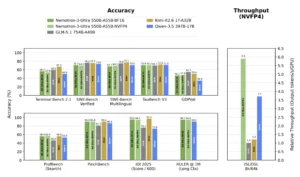
- NVIDIA Nemotron 3 Super: Specifically fine-tuned for long-horizon agentic workflows, making it the choice for teams actually building coding-specific model selection for local deployment rather than just chatting
The H200’s 4.8 TB/s memory bandwidth (up from the H100’s 3.35 TB/s) means these massive models don’t just fit, they actually perform. For coding agents that need to ingest entire codebases as context, this bandwidth is the difference between “intelligent” and “intolerably slow.”
Why Running Ollama on H200 Is a Crime
Here’s where the rubber meets the road, and where most enterprise experiments die. The developer in our Reddit thread mentioned running Ollama on their homelab. The community response was immediate and brutal: “Please don’t use Ollama on such a nice machine, it’s a crime.”
The distinction matters because it exposes a fundamental misunderstanding in enterprise AI adoption. Ollama and llama.cpp are built for consumer hardware, single-user, low-concurrency, “I want to chat with a 7B model on my laptop” scenarios. They lack continuous batching, proper tensor parallelism, and the production-grade stability required for multi-developer IDE integration.
For a coding assistant serving a development team, you need vLLM or SGLang. Full stop. vLLM’s PagedAttention architecture manages KV cache memory in non-contiguous blocks, dramatically reducing the fragmentation that kills throughput under concurrent load. When ten developers hit autocomplete simultaneously, Ollama chokes while vLLM handles it with sub-50ms Time to First Token (TTFT).
The configuration looks like this:
python -m vllm.entrypoints.openai.api_server \
    --model Qwen/Qwen3.5-397B-Instruct-AWQ \
    --quantization awq \
    --tensor-parallel-size 2 \
    --max-model-len 4096 \
    --gpu-memory-utilization 0.90 \
    --enable-prefix-caching
Notice the --tensor-parallel-size 2. This splits the model across both H200s, utilizing NVLink for inter-GPU communication. Without this, you’re leaving half your compute, and nearly all your performance, on the table.
The Agent Stack: Beyond Simple Autocomplete
The real prize isn’t just code completion. It’s the agentic workflow, systems that can plan, execute, and iterate on development tasks. The Reddit thread mentions OpenClaw specifically, and for good reason. Running agents locally requires models capable of long-horizon reasoning and tool use, which demands both VRAM capacity and inference stability.
NVIDIA’s Nemotron 3 Super, fine-tuned for agentic tasks, becomes viable on this hardware. Combined with proper orchestration, you can run multi-step coding agents that ingest tickets, modify code, run tests, and submit PRs, all without a single token leaving your network perimeter.
But this requires moving beyond simple model serving. You need open-source training and inference tools for local models that can handle the complexity of agentic loops. The H200 provides the raw compute, but the software stack, vLLM for serving, proper quantization with AWQ or GPTQ, and agent frameworks like OpenClaw or custom Nemotron stacks, determines whether this becomes a productivity tool or an expensive space heater.
The Infrastructure Reality Check
Let’s be blunt: most enterprises buying H200s aren’t ready for them. The SitePoint production guide notes that local LLM deployment is now a “solved engineering problem”, but that assumes you have engineers who understand GPU kernel tuning, NUMA-aware scheduling, and the difference between GPTQ and AWQ quantization.
The hardware specifications reveal the operational burden:
| GPU | VRAM | Memory Bandwidth | TDP | Approx. Cost |
|---|---|---|---|---|
| NVIDIA H200 | 141 GB HBM3e | 4.8 TB/s | 700W | $25,000-$35,000 |
| NVIDIA H100 | 80 GB HBM3 | 3.35 TB/s | 700W | $25,000-$35,000 |
| RTX 4090 | 24 GB GDDR6X | 1 TB/s | 450W | $1,600-$2,000 |
That 700W TDP per card means you’re looking at 1.4kW just for GPUs in a dual-H200 setup. Your standard office power and cooling won’t cut it. Neither will your standard Docker configuration, you’ll need the NVIDIA Container Toolkit with explicit huge pages configured, NUMA-aware scheduling pinned to the CPU socket closest to your PCIe root complex, and driver versions pinned to avoid memory allocation surprises.
The cost comparison table tells the story:
| Daily Token Volume | Cloud API (est.) | On-Prem (amortized) |
|---|---|---|
| 1M tokens/day | $600-$900 | $2,500-$4,000 |
| 10M tokens/day | $6,000-$9,000 | $3,500-$6,000 |
| 100M tokens/day | $60,000-$90,000 | $8,000-$15,000 |
At low volumes, you’re lighting money on fire. At high volumes, the economics invert dramatically. But you need the operational maturity to handle the infrastructure.
The Observability Gap
Here’s what doesn’t get discussed in the procurement meetings: monitoring. When your coding assistant goes down, developers treat it like a P0 incident. vLLM exposes Prometheus metrics at /metrics, but you need to build the pipeline: scraping, alerting on queue depth (when vllm:num_requests_waiting grows steadily, you’re capacity-constrained), and tracking TTFT percentiles.
Set your alerts wrong, and you’ll discover that local inference has failure modes cloud APIs don’t, driver crashes, model corruption, OOM kills under burst load. The H200 gives you the VRAM to run big models, but it also gives you enough rope to hang yourself with misconfigured batch sizes.
The Bottom Line
The enterprise local AI surge is real, driven by legitimate economic case for switching from cloud APIs to local hardware and privacy requirements. But the gap between “we bought the GPUs” and “we have a production coding agent” is wider than most organizations realize.
If you’re the developer who just got handed the keys to an H200 rig, resist the urge to install Ollama and call it a day. This is infrastructure engineering now, not hobbyist tinkering. Use vLLM with tensor parallelism. Size your models for the context windows you actually need, not the parameters you can fit. And for the love of all that is holy, define success metrics before you start, because “getting our feet wet” with $60,000 worth of hardware is the kind of experiment that gets cancelled quickly when the electricity bill arrives.
The future of coding is local, agentic, and running on H200s. Just make sure you know what you’re doing before you flip the switch.