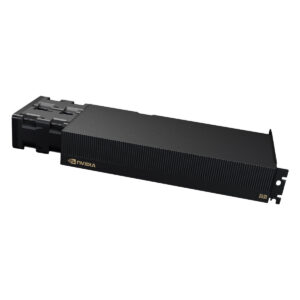
The dream of running powerful language models locally is currently at war with physics. A single RTX 4090 can pull 450 watts, turning your “personal AI” into a personal space heater. An eight-unit NVIDIA DGX Spark cluster can shut down from thermal overload simply because its stock cooling can’t keep up. Meanwhile, GPU price inflation drivers affecting upgrade decisions are pushing even professionals to find ways to make their existing hardware last longer. Frustrated engineers aren’t waiting for Nvidia’s next engineering miracle, they’re taking a hammer and chisel to enterprise servers and consumer graphics cards, risking their warranties in pursuit of the ultimate local AI setup. This is the story of the hardware-underground where water from the kitchen tap cools a $15,000 server, and a single command slashes the power bill by 60% with barely a performance hit.
The DGX Spark: An Oven in a Box
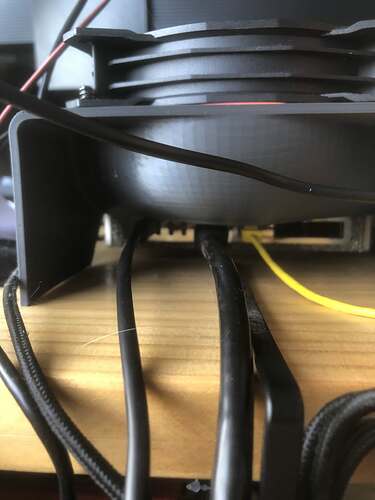
The pursuit of a better cooling solution has become a micro-industry. In the main discussion thread, one user started by asking if anyone had considered a water-cooling jacket. Others chimed in with hastily generated conceptual designs from generative AI tools, showing “Mad Max/steampunk” reimaginations of the chassis. From there, the conversation got practical. User whpthomas posted images of a 3D-printed rear-mounted cooling duct designed for a 120mm fan, creating a press-fit solution to extract the hot air the stock fans couldn’t handle.
But the true DIY spirit is exemplified by Reddit user OldEffective9726, whose now-famous post showed an enterprise-grade card being cooled with literal tap water, allegedly keeping it under 68°C while running a hefty Qwen3.5-122b-a10B model. While the comment section was filled with jokes about using vodka or sake instead (“That will only work with distilled models”, quipped one user), the underlying motivation was dead serious: keeping expensive hardware alive to run heavy inference workloads without costly, specialized datacenter cooling.
The Power Limit Gamble: Slashing Watts, Saving Cash
While some are battling heat, others are tackling the source directly: raw power consumption. The quest to find the power-performance efficiency sweet spot for local LLM inference has become a widespread optimization sport.
One user on Reddit, OkFly3388, performed a classic experiment on their RTX 4090. Running llama.cpp with a 27B model, they observed the GPU constantly hitting its power limit. The logical next step was to manually cap it using sudo nvidia-smi -pl <wattage>.
What they discovered was a curve that reveals a truth about AI inference: it’s often memory-bound, not compute-bound. They posted benchmark data showing that dropping the power limit from the stock 450W down to around 300W resulted in a surprisingly small performance penalty, somewhere in the ballpark of 15-20% lower token generation speed for prefill tasks, while decode (token generation) performance was barely affected.
The takeaway was immediate: for many interactive chat and streaming inference tasks where you’re not waiting on massive batch processing, that 15% performance hit buys you a 40% reduction in power draw, heat output, and fan noise. As one commenter noted, processing a 128K prompt might take 52 seconds at full power. At the reduced limit, maybe it takes 60 seconds. For a cost-conscious user, trading 8 seconds for 40% less power is a bargain.
This is a direct response to the shift from cloud to self-hosted AI infrastructure](/blog/the-hidden-infrastructure-revolution-engineers-building-outside-the-big-three-clouds) where predictable, long-term costs trump ephemeral cloud bursts.
The community quickly adopted an “80% rule”: set the power limit to 80% of default for a sane compromise. Another user reported under-volting their 5090 to 860mV @ 2500MHz, pulling 360W with only a 12% performance loss compared to uncapped. These aren’t isolated anecdotes, they are the foundational principles of a growing DIY AI infrastructure trend for home-based setups](/blog/pewdiepie-local-ai-diy-infrastructure) where hardware is pushed beyond its intended spec for economic necessity.
Squeezing Every Last Token: The Hard Numbers Behind the Hacks
Let’s move from anecdotes to data. What does the performance trade-off really look like? The community-provided benchmarks give us concrete numbers.
The Power-Performance Frontier on RTX 4090
- 450W (Stock): Maximum performance. GPU is thermally and power constrained.
- 350W (~78%): The “sweet spot” compromise. Minor prefill performance loss (single-digit percentage), significant power savings. As one user noted, “450W being considered lower power is absolutely crazy.”.
- 270W (60%): The efficiency play. Approximately 15-20% prefill performance hit for a 40% drop in power consumption. Users noted their thermals dropped by 10°C, a critical factor for longevity and ambient room temperature.
- 150W (33%): The “silent & cool” mode. Severe performance penalty, but potentially viable for always-on, low-throughput tasks.
The key insight here is that LLM inference doesn’t always need the GPU’s brute force. The memory bandwidth bottleneck means the core can be throttled before it drastically impacts token generation. This is why custom kernel optimizations for Blackwell GPU performance are so powerful, they directly target that memory bottleneck.
Cooling Improves Stability, Enabling Higher Performance
- 3D-Printed Air Ducts: The simplest hack. As shown by
whpthomason the NVIDIA forum, a printed duct redirects airflow more efficiently. It’s not about reducing peak temperature as much as preventing thermal throttling and those catastrophic shutdowns. - Water Cooling Ambition: The CNC-milled water-cooling jacket is the holy grail. As discussed by
Brushon the forum, the challenge is creating a block that makes proper contact with not just the GPU die but also the LPDDR5 chips and voltage regulators, which are often at different heights. Using thermal putty or pads is tricky, too thick and you create an air gap over the main die. - The “Redneck Water Loop”: The most extreme example is the tap-water setup. It highlights the core principle: effective cooling unlocks stability. A stable DGX Spark can run at higher utilization for longer without fear, increasing its effective throughput over time.
The Cost-of-Ownership Math
A comprehensive local LLM hardware guide outlines the break-even point: a developer spending $300-$500/month on API fees can pay off a $1,200-$1,800 RTX 4090 build in 3-6 months. But that math assumes standard electricity rates.
The DIY modifications change the equation:
* Power Savings: Cutting an RTX 4090 from 450W to 270W saves 180W. Running 10 hours/day, that’s 1.8 kWh saved. At $0.15/kWh, that’s ~$8/month saved, or nearly $100/year per card. For a cluster, this scales linearly.
* Hardware Longevity: Excessive heat is the primary killer of electronics. Keeping a GPU 10°C cooler can double its lifespan. Replacing a $1,200 GPU every 4 years instead of every 2 is a $300/year saving.
* Avoided Downtime: For a DGX Spark used for revenue-generating inference, an unexpected thermal shutdown costs money. A $50 cooling hack prevents that.
When you’re exploring cost-effective GPU alternatives for inference workloads, squeezing more efficient life out of your existing high-end NVIDIA hardware becomes a financially savvy first step.
From Hobbyist Hack to Production Reality: vLLM on a Leashed GPU
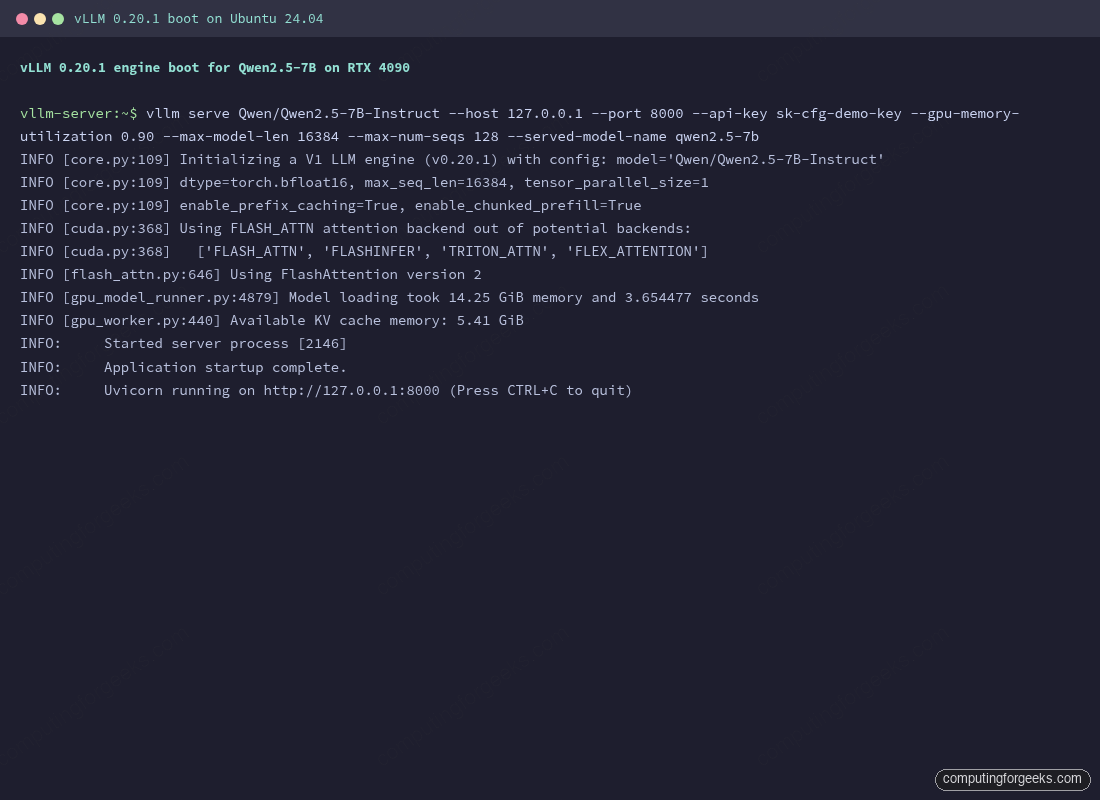
The hacks are fun, but the goal is serious: running a reliable, production-grade local inference endpoint. This is where tools like vLLM enter the picture. A comprehensive production guide for vLLM shows how to deploy it as a hardened, monitored service. The beauty of pairing vLLM with a power-limited GPU is that you get production-grade throughput management on constrained hardware.
vLLM’s metrics, exposed via Prometheus, tell the exact story you need to tune your hardware:
* vllm:num_requests_waiting: A sustained queue depth means you’re GPU-bound. Maybe your power limit is too aggressive.
* vllm:kv_cache_usage_perc: Above 95%, concurrent requests get preempted. This is your VRAM bottleneck.
* vllm:time_to_first_token_seconds: The user-visible latency metric. This is what you sacrifice when you cut power.
The Unspoken Risks: Warranty Void, Leaks, and Silicon Lottery
Let’s be clear: this isn’t sanctioned by NVIDIA. Opening a DGX Spark or applying a non-standard cooler almost certainly voids the warranty. Pouring tap water through a custom loop risks mineral buildup and corrosion. A leak could short a board worth thousands.
Even the power limit tweak isn’t without risk. While modern GPUs have robust power management, consistently running a card at its thermal or power limit can accelerate degradation. The community’s 80% rule is a popular heuristic partly because it builds in a safety margin.
Then there’s the silicon lottery. Not every RTX 4090 will undervolt or underpower the same way. The user who achieved 360W at 860mV got lucky. Your results, as they say, may vary. This variability makes standardized “recipes” difficult and turns optimization into a hands-on, per-card experiment.
The Bigger Picture: Pushing Back Against the AI Grind
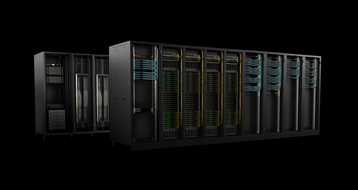
These hardware hacks are more than just cost-cutting measures, they’re a form of technological pragmatism. While NVIDIA unveils its liquid-cooled DGX GB200 SuperPOD for hyperscalers, individuals and small teams are asking: “How do I make what I have work”?
The trends are clear: the AI hardware arms race is driving up costs and complexity. The DIY modders represent a counter-movement. They are rejecting the notion that you need a $50,000, whisper-quiet, water-cooled rack to run a 70B parameter model. They are proving that with some ingenuity, a 3D printer, a command line, and a willingness to void a warranty, you can reclaim a degree of control over your stack.
It’s the ultimate fusion of the maker ethos with the AI revolution. It’s messy, it’s risky, and it’s absolutely essential for anyone trying to build ambitious AI applications without a venture capital budget. As thermal management challenges in high-end NVIDIA workstations continue to plague even official hardware, the community’s grassroots solutions will only become more vital. The future of local AI might not be in a shiny new box from the factory, it might be in your existing hardware, humming along at 60% power, cooled by a jury-rigged fan duct, quietly generating tokens without burning a hole in your wallet or your floor.