That’s exactly what one enterprising builder did, and the results are both gloriously absurd and genuinely practical. Using a pair of PLX88096 PCIe switch cards, they’ve managed to strap 16x RTX 5060 Ti 16GB cards to a single ASRock Rack motherboard, creating what is effectively a 256GB VRAM inference monster for a fraction of what NVIDIA would charge for equivalent workstation hardware.
The whole setup costs about 60% of a single RTX 6000 Pro’s MSRP while delivering more than double the compute.
The Part List: What You’re Actually Building
Before we dive into the BIOS gymnastics and kernel hacking, let’s look at the validated configuration that actually works:
| Component | Part |
|---|---|
| Motherboard | ASRock Rack SPC621D8U-2T/OVH |
| CPU | Xeon Gold 6330 (Ice Lake) |
| GPU Fabric | 2x Broadcom/PLX PEX88096 switches, 8 GPUs per island |
| GPUs | 16x RTX 5060 Ti 16GB GDDR7 |
| OS | Ubuntu 22.04.5 LTS |
| Kernel | 6.8.0-106-generic |
| NVIDIA Driver | Aikitoria patched open driver 610.43.02-p2p |
| Required BAR1 | 16,384 MiB on every GPU |
| Power | 3x Dell 1600W PSUs |
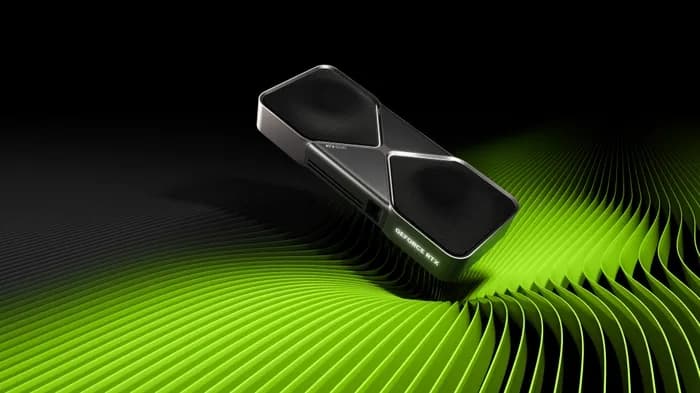
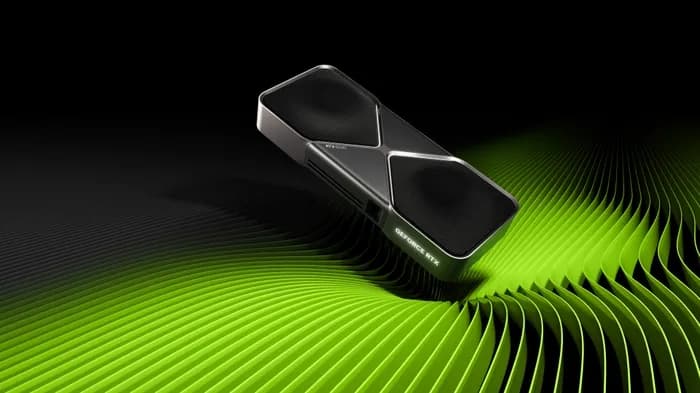
The RTX 5060 Ti 16GB is the unsung hero of the Blackwell generation for AI work. At $429, $479, it delivers 16GB of GDDR7 at 448 GB/s with 4,608 CUDA cores and fifth-gen tensor cores that double INT4/INT8 throughput over Ada Lovelace. It’s the first card under $500 that makes local AI genuinely viable, hitting 40-50 tok/s on Gemma 4 14B at Q5 quantization.
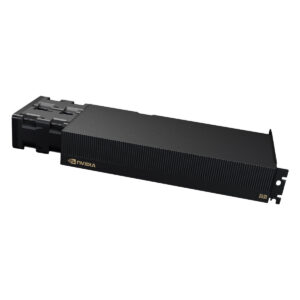
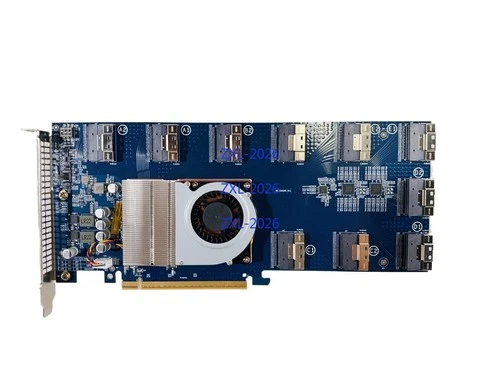
The PLX88096 cards are the real magic here. These PCIe 4.0 x16 expansion cards pack a Broadcom PEX88096 switch chip that takes a single x16 uplink and fans it out to 10 SFF-8654 ports. When paired with the right baseboards, you get up to 5 full x16 slots per card. The builder is running two of these islands, giving them 8 GPUs per PLX switch with GPU-to-GPU communication happening over the PCIe fabric itself.
The BIOS and Kernel Setup: Where Dreams Go to Die
Here’s where this build separates from “plug it in and pray” territory. The PCIe topology has to be configured precisely, or Linux will GLOBALLY reallocate BARs in ways that break the GPUs.
The checklist, as documented by the builder:
- UEFI boot enabled, CSM disabled
- Secure Boot disabled (the custom EFI application and patched NVIDIA modules are unsigned)
- Above 4G Decoding enabled
- MMIO High Granularity set to
1024G - MMIO High Base set around
56T(that’s terabytes, not gigabytes) - SR-IOV disabled
Then in GRUB, you need these kernel parameters:
intel_iommu=off pci=realloc=on,hpmmioprefsize=512GAnd for the NVIDIA module:
NVreg_EnableResizableBar=1This sets the resizable BAR size code to 14, which translates to 16 GiB BAR1 on every GPU. The builder also had to temporarily disable PCI memory decoding and clear the old BAR1 address so Linux could reallocate it properly.
There’s also a critical register tweak for the PLX switches themselves. For every PLX/PEX bridge, you need to write to the ACS control register:
ECAP_ACS+0x6.w = 0000This disables Access Control Services, which is essential for P2P DMA traffic between GPUs on the same switch island. Without this, any peer-to-peer communication would be blocked by the default ACS isolation policies.
Then comes the “little vibe coding” to make custom all-reduce work within each PLX cluster and get DSpark running for pipeline parallelism. Because nothing about this build is off-the-shelf.
The Performance Numbers That Matter
All that pain is worth it when you see what this rig can actually do. Running DeepSeek V4 Flash-0731:
Tensor Parallel 8, Pipeline Parallel 2:
– 500K context available
– ~4,000 tokens/s prefill up to 500K context
– 100-150 tokens/s generation (averaging 140 in DeepSeek Harness)
Tensor Parallel 4, Pipeline Parallel 4:
– Full 1M context available
– ~7,000 tokens/s prefill up to 500K context
– 80 tokens/s generation
Tensor Parallel 8, Pipeline Parallel 2
- 500K context
- ~4,000 tok/s prefill
- 100-150 tok/s generation
Tensor Parallel 4, Pipeline Parallel 4
- Full 1M context
- ~7,000 tok/s prefill
- 80 tok/s generation
Let’s put those numbers in perspective. At 140 tok/s generation with 500K context, you’re getting interactive-quality performance on a model that would require enterprise hardware to even load. The 1M context configuration at 80 tok/s is still well above the threshold for comfortable reading and analysis tasks.
The trade-off between the two configurations is instructive. Tensor parallel 8 gives you higher generation speed because each layer’s computation is split across more GPUs, reducing per-GPU memory pressure. But pipeline parallel 4 allows for more total context because the model layers are distributed across more pipeline stages, each of which can hold more KV cache.
The “Abomination” Aesthetic and Power Reality
When the builder shared photos of the rig, the community response was immediate. The top commenter called it an “abomination.” Others described it as “beautiful chaos” and “pure madness.” The setup is powered by three Dell 1600W server PSUs, which are visible in the photos alongside the open-air frame and GPU risers.
But there’s a fair criticism buried in the praise: power efficiency. At idle, the whole rig draws 350-500W just to keep 16 GPUs, the Xeon CPU, and the switch fabric alive. Under load with optimized settings, you’re looking at 2kW+.
That said, let’s do the math on what you’re getting per dollar. If you price out 16x RTX 5060 Ti cards at MSRP, you’re looking at roughly $7,200 for the GPUs alone. Add the PLX switches, the motherboard, the Xeon CPU, and the PSUs, and you’re in the neighborhood of $10,000-12,000 total.
A single RTX 6000 Pro with 24GB of VRAM has an MSRP around $6,800. At 60% of that price for the whole system, the builder is getting 16x the VRAM capacity (256GB vs 24GB) with more than double the aggregate compute. Even accounting for the fact that you can’t get full utilization across all 16 GPUs for every workload, the economics are absurdly favorable.
Why This Works With Consumer Cards
The RTX 5060 Ti is an interesting test case for multi-GPU consumer rigs. NVIDIA’s consumer cards don’t have NVLink, and the 5060 Ti lacks the P2P connectivity of workstation cards. But for inference workloads, you don’t strictly need NVLink.
The 5th-gen tensor cores on Blackwell consumer cards support INT4/INT8 at dramatically higher throughput than Ada Lovelace. For inference, where you’re mostly loading weights and running forward passes, the PCIe 4.0 x8 connection provided by the PLX switch topology is sufficient. The model can be sharded across GPUs using tensor parallelism, with the aggregate memory bandwidth of all 16 cards providing the throughput.
The 448 GB/s bandwidth per card is actually a sweet spot. It’s high enough that the memory bus keeps the tensor cores fed, but not so high that the cards generate excessive heat or require exotic cooling. The 180W TDP means you can run these cards with standard server airflow (or, in this case, an open-air frame and industrial fans).
The Software Stack: It’s All Custom
The builder’s setup uses the Aikitoria patched open driver 610.43.02-p2p, which adds peer-to-peer support that the stock NVIDIA consumer drivers lack. This is critical for cross-GPU communication within a PLX island.
But the driver is just the foundation. The real work went into:
- Custom all-reduce implementation that works within each PLX cluster. The PEX88096 switch creates a virtual PCIe fabric, but it doesn’t automatically provide NVLink-style bandwidth for collective operations. The custom all-reduce is designed to minimize traffic across the switch.
- DSpark pipeline parallelism for splitting model layers across the two PLX islands. Since the islands are effectively separate PCIe domains (connected via the CPU’s root complex), pipeline parallelism is more efficient than tensor parallelism across islands.
- BAR1 management to ensure all 16 GPUs have full 16GiB resizable BARs. This is essential for the GPUs to address each other’s memory in P2P operations.
This isn’t a turnkey solution. If you’re looking to build this rig, expect to spend significant time debugging the PCIe topology, tuning the kernel parameters, and potentially writing your own communication kernels.
The Real Value: What This Teaches Us About AI Hardware
Beyond the entertainment value of watching someone strap consumer GPUs together with enterprise switch hardware, this build highlights something important about the AI hardware market in 2026.
The DRAM shortage has pushed GPU prices 15-30% above MSRP, and NVIDIA has confirmed no new gaming GPUs for the rest of the year. The RTX 50 Super refresh hasn’t landed. Meanwhile, the demand for local AI inference continues to surge.
The PLX switch-based approach offers a path to massive VRAM capacity without paying datacenter premiums. A 256GB VRAM inference rig for ~$10K is a price point that makes local AI accessible to research labs, small startups, and serious hobbyists.
The trade-offs are real: you need server-grade motherboards with support for massive MMIO address spaces, you need kernel-level workarounds for consumer driver limitations, and you need to be comfortable with the fact that your “server” looks like a toaster oven with extra steps.
But for those willing to embrace the madness, the performance-per-dollar is unmatched. The system runs DeepSeek V4 Flash with 500K context at 140 tok/s, or 1M context at 80 tok/s. That’s enterprise-class inference capability at a fraction of the cost.
Is this rig for everyone? Absolutely not. The 350-500W idle power draw alone means it’s not something you leave running 24/7 without thinking about your electricity bill. And the setup complexity means it’s not for people who want a plug-and-play solution.
But for the right person- someone who needs massive VRAM for local inference, has the technical chops to handle the PCIe gymnastics, and doesn’t mind a rig that looks like it was assembled by a deranged perfectionist- this is the blueprint for the most compute per dollar that money can buy in 2026.
The community reaction sums it up best: it’s a mad setup, and the only thing mad about it is that most of us don’t have one.