Snowflake OpenFlow: The Native CDC Savior Is Still On Training Wheels
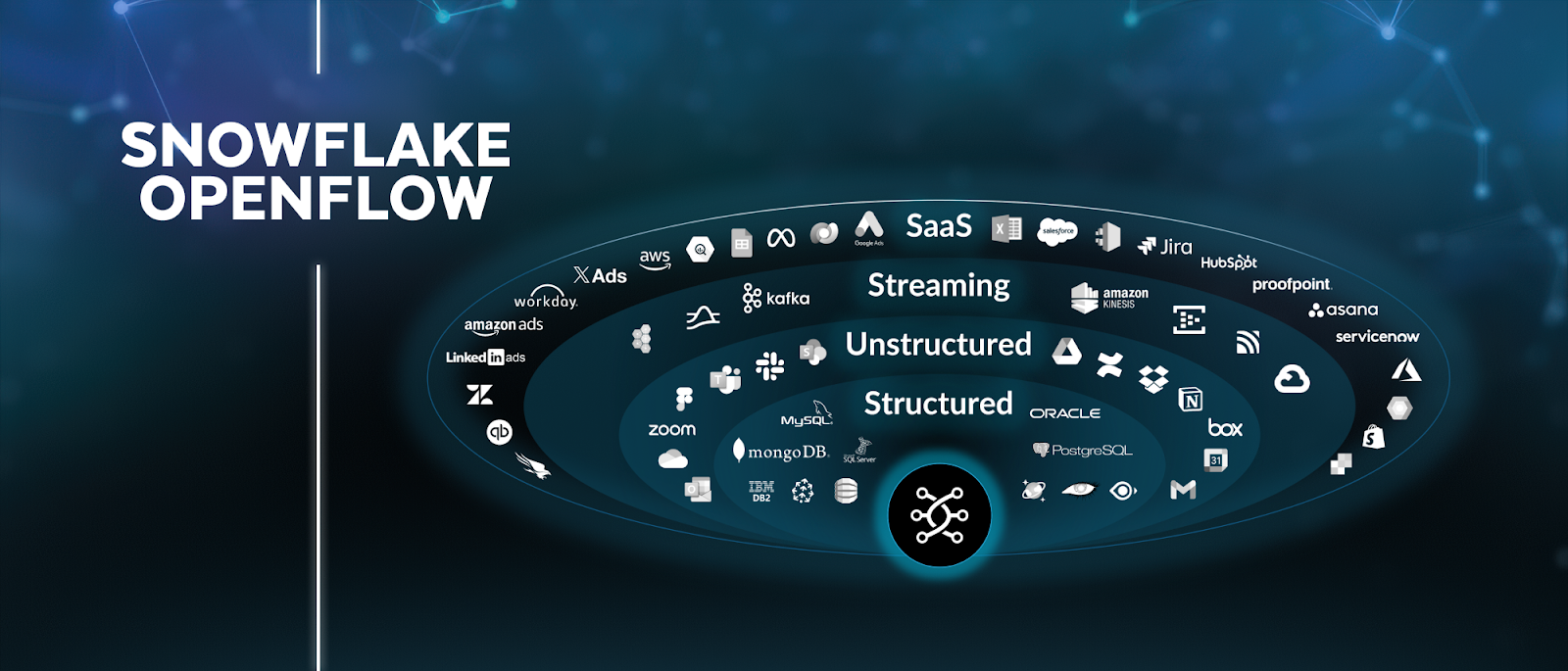
The promise was alluring: ditch expensive third-party Change Data Capture (CDC) tools, reduce your data movement bill, and consolidate your data stack under the Snowflake umbrella. This is the pitch for Snowflake OpenFlow, a native data integration service built on Apache NiFi that finally offers robust CDC capabilities for major sources like SQL Server and Oracle. For enterprises drowning in Fivetran HVR and AWS DMS bills, it seemed like a lifeline. But as with many first-party tools, the initial release feels like it shipped with unfinished homework. The sentiment from the field is less “revolutionary” and more “bittersweet”, a promising framework hamstrung by immature features.
Let’s cut through the marketing. This is a deep dive into what Snowflake OpenFlow actually delivers today, where it stumbles, and whether you should bet your data pipelines on it just yet.
The Allure: A Native, Unified Data Motion Engine
Snowflake OpenFlow isn’t just a CDC tool. It’s a fully-managed data integration service designed to be the one-stop shop for moving data in and out of Snowflake. The architecture is a clever split: a Snowflake-managed Control Plane for configuration and a customer-managed Data Plane (an Apache NiFi cluster) that runs in your own cloud VPC. This “Bring Your Own Cloud” (BYOC) model is a strategic move, giving Snowflake control over the orchestration while leaving infrastructure costs and management in your court.
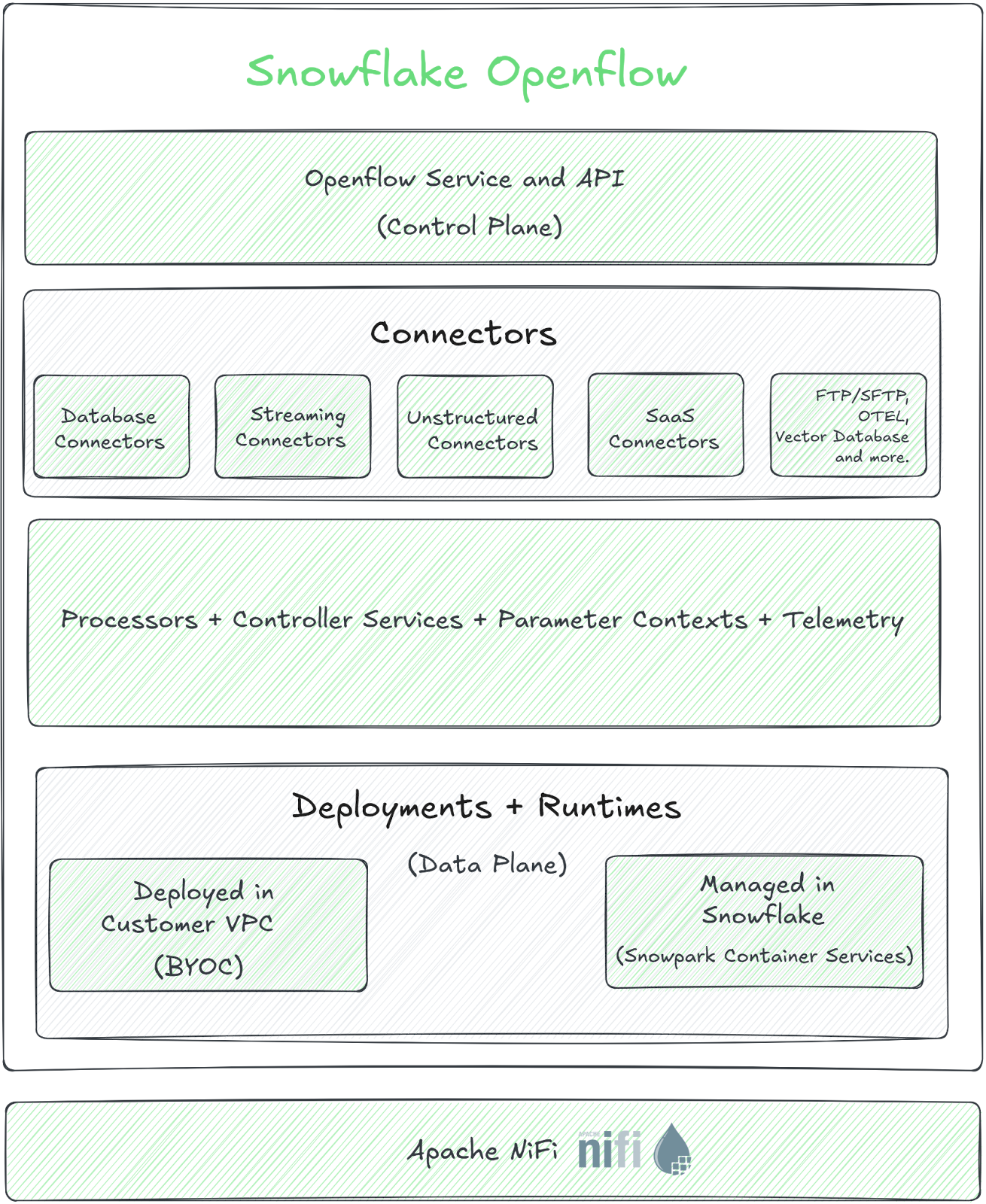
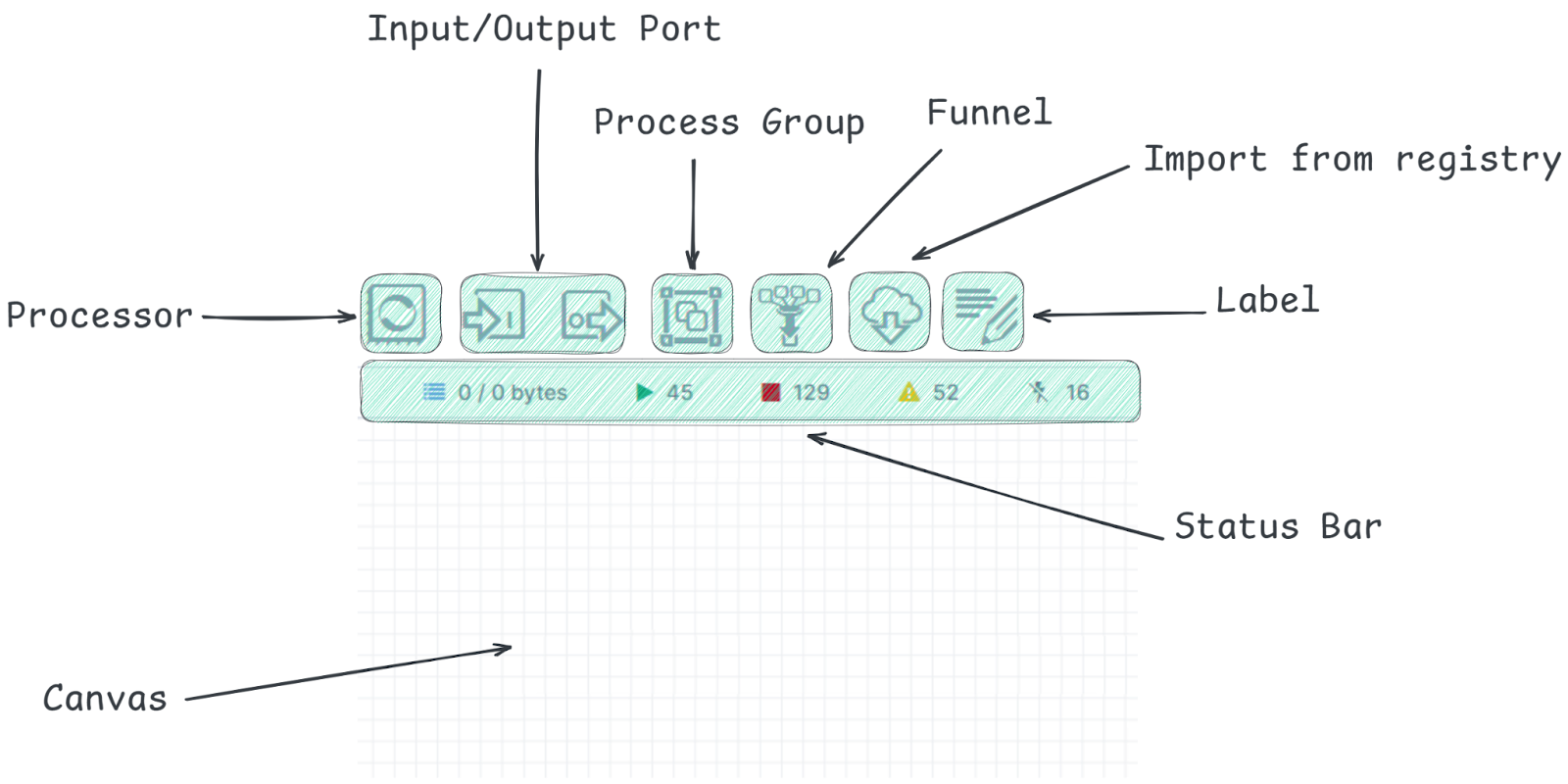
The setup, while multi-step, is well-documented. It involves creating an image repository, configuring roles, accepting terms in Snowsight, and deploying infrastructure via an AWS CloudFormation template. Once running, you get a visual NiFi canvas to drag, drop, and connect processors for sources ranging from Google Drive to Kafka.
On paper, it’s a compelling alternative. Why pay for Fivetran’s markup or manage the sprawl of AWS DMS when you can have a service from your data cloud vendor? The potential for cost savings and simplified governance is significant. As noted in a comprehensive setup guide, OpenFlow is positioned to handle complex, bi-directional data movement that Snowpipe or the simple COPY command can’t touch.
The Bitter Pill: Where OpenFlow Falls Short in Practice
The excitement quickly fades when you move from the documentation to a real-world proof-of-concept. The gaps between OpenFlow’s marketing and its current execution are not minor.
The Crippling Schema Lock-In
The most glaring issue reported by a team conducting a POC for SQL Server CDC replication is a total lack of flexibility for the target schema. In the default SQL Server CDC workflow, OpenFlow automatically creates a schema in your Snowflake database with the exact same name as the source SQL Server schema.
If your source schema is DBO, that’s what you get in Snowflake, no configuration allowed. The team attempted a workaround by manually updating nearly every processor in the workflow to point to a custom schema. It mostly worked, until they hit the MergeSnowflakeJournalTable processor. This final, critical component for merging CDC journal data into the permanent table hard-codes the source schema name. There is no parameter to change it.
The official response from Snowflake’s internal team was revealing: they acknowledged the problem, said they’re working on it due to widespread complaints, and then delivered the knockout blow. If you modify the out-of-the-box workflow, it’s considered a “custom workflow” and will be locked out of future updates. The message is clear: use it as-is, or accept that you’re on your own.
For any team with a defined data modeling convention (like RAW, STAGING, CURATED layers), this is a non-starter. It forces unnecessary technical debt, requiring views or other abstractions to align with your existing architecture, as one observer noted. This inflexibility feels antithetical to the platform’s “data cloud” ethos.
A Clunky, Developer-Unfriendly Experience
Beyond the schema debacle, the day-to-day operational experience is described as “janky.”
- Variable Management Hell: There’s no single pane of glass for managing environment or JVM variables across your workflow. You must navigate to each individual processor to configure them, a tedious and error-prone process for any non-trivial pipeline.
- Opaque Error Logging: Troubleshooting is hampered by difficult-to-navigate and poorly presented error logs. When a pipeline breaks, you need clear, centralized observability. Early feedback suggests OpenFlow’s logging is a step backward from the polished, actionable alerts of tools like HVR.
These usability issues might seem like minor quibbles, but they directly impact velocity and reliability. In a high-stakes production environment, unclear errors and fragmented configuration management are direct paths to extended downtime and frustrated engineers.
The Established Competition Isn’t Sleeping
While OpenFlow stumbles out of the gate, the incumbents it hopes to displace are not standing still. The team running the POC had extensive experience with Fivetran’s HVR, IICS, and AWS DMS. Their review of HVR is telling: “It’s just setup and forget… miles ahead of these 2 tools in every aspect.”
They highlighted HVR’s superior real-time metrics, which once helped them instantly diagnose a production crisis where a source process was generating 200 million updates per day on a single table. HVR’s dashboard showed the exact offending table and volume spike, allowing them to alert the source team immediately. Could they have found that needle in OpenFlow’s haystack with its current tooling? Unlikely.
This isn’t just about features, it’s about operational maturity. Tools like HVR have been hardened over years of enterprise use. They offer robust transformation capabilities, reliable support SLAs, and deep visibility, assets you only appreciate when things go wrong.
The Path Forward: Is OpenFlow Ready for You?
So, should you abandon your POC? Not necessarily. OpenFlow represents a strategic direction for Snowflake. Owning the data ingestion layer is a logical power move, and the underlying NiFi technology is proven. The current version feels like a minimum viable product for a specific use case: greenfield projects with simple, 1-to-1 schema mapping that can tolerate first-release quirks.
For everyone else, especially those looking to migrate from mature CDC platforms, the advice is to wait. Keep OpenFlow on your radar for these key improvements:
- Configurable Target Schemas: This is the single biggest blocker for enterprise adoption. Without it, OpenFlow is a toy.
- Centralized Configuration & Improved Logging: The operational experience must mature to match the “managed service” promise.
- Expanded Source Coverage & Maturity: While SQL Server and Oracle are headline grabs, the ecosystem of connectors needs to rival the breadth of established players.
- Transparent Roadmap: Enterprises need confidence that these gaps are priority fixes, not long-term feature requests.
The Verdict: Promise on a Leash
Snowflake OpenFlow is a glimpse into a compelling future: a unified, cost-effective, and natively integrated data movement layer for the Snowflake ecosystem. The potential is enormous.
But today, that potential is on a tight leash, held back by foundational limitations in customization and operability. For teams evaluating CDC solutions, the calculus is simple. If you need a battle-tested, flexible, and observable tool for a critical production pipeline, the established veterans like HVR still hold a significant advantage.
Adopt OpenFlow now only if you’re prepared to be a pioneer, navigating its rough edges, accepting its constraints, and betting that Snowflake will prioritize and deliver the fixes needed to make it truly competitive. For most, the wiser move is to watch, wait, and let the tool graduate from its training wheels.