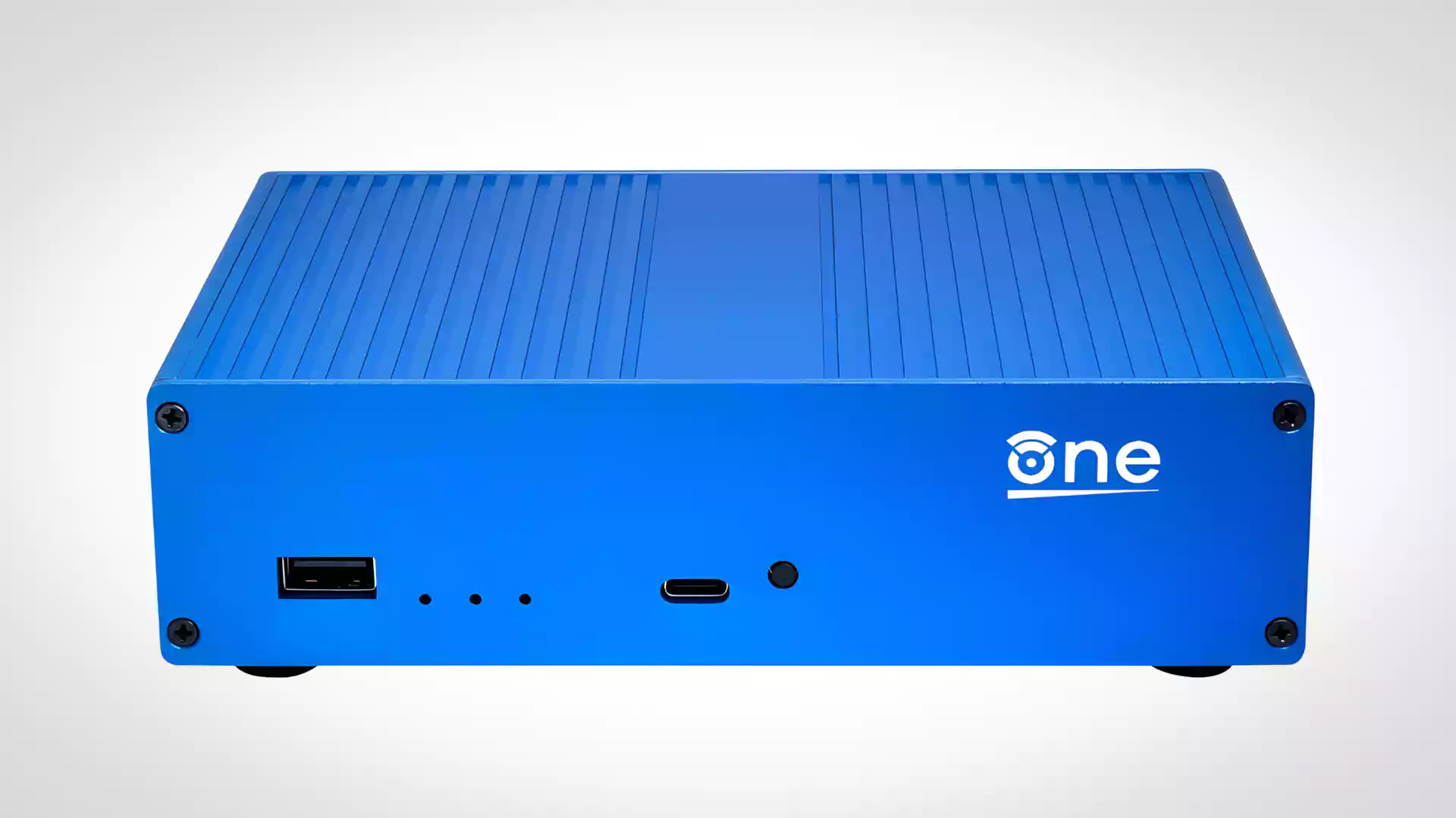
The networking hardware industry has a dirty secret: your $300 “smart” router is a locked-down appliance running proprietary firmware on undocumented hardware, with security patches that arrive at the vendor’s convenience, if they arrive at all. The OpenWrt One is the middle finger to that entire model.
This isn’t just another router. It’s the first fully open-source hardware router designed by the OpenWrt project itself, shipping with schematics, firmware, and hardware design files published under open licenses. The schematics, the bootloader, the BOM, all of it is yours to inspect, modify, and repair. For a community that has spent two decades reverse-engineering proprietary router firmware just to get basic functionality, the OpenWrt One is the hardware they always deserved.
Let’s dig into the architecture, the recovery systems that would make a NASA engineer blush, and what this means for the future of networking hardware.
The Hardware That Doesn’t Lie
The OpenWrt One is built around the MediaTek Filogic 820 platform, specifically the MT7981BA SoC. This is a dual-core ARM Cortex-A53 running at 1.3 GHz, paired with 1 GB of DDR4 RAM. That’s not just generous for a home router, it’s enough headroom to run VPNs, ad-blocking DNS filters, intrusion detection, and still have memory left over for a container or two.
The full hardware breakdown tells the story:
| Component | Specification |
|---|---|
| SoC | MediaTek MT7981BA (Cortex-A53, dual-core @ 1.3 GHz) |
| RAM | 1024 MB DDR4 |
| Flash | 16 MB NOR + 256 MB NAND |
| WiFi | MediaTek MT7976CN (WiFi 6, dual-band, 3×3/2×2) |
| WAN | 1x 2.5 Gbps (with PoE 802.3af/at support) |
| LAN | 1x 1 Gbps |
| USB | 1x USB 2.0 Type-A + 1x USB-C (serial console) |
| Storage | M.2 SSD slot (2230) |
| Power | 15 VDC, 2A via USB-C PD, or PoE |
The 1 GB of DDR4 RAM is the standout spec here. Most consumer routers in the $100, $200 range ship with 256 MB or 512 MB. The OpenWrt One’s memory budget means you can run a full ad-blocking DNS server, a WireGuard VPN, and a lightweight container without swapping. That’s not a router, that’s a network appliance that happens to route packets.
The Dual-Flash Architecture: Why Two Boot Memories?
The most architecturally interesting decision in the OpenWrt One is the dual-flash storage: 16 MB of NOR flash for recovery and 256 MB of NAND flash for the main operating system. This isn’t just redundancy for redundancy’s sake.
NOR flash is slow, small, and expensive. But it’s also incredibly reliable and supports execute-in-place (XIP), meaning the CPU can run code directly from NOR without copying it to RAM first. NAND flash is faster, denser, and cheaper, but it’s prone to bit rot and requires error correction.
The OpenWrt One uses NOR as a hardened recovery environment. If you brick the NAND, say, by flashing a bad kernel or corrupting the UBI volume, you flip the physical NAND/NOR switch, hold the front button, and boot into a minimal recovery system that can reflash the entire NAND from a USB drive. This is the kind of architectural redundancy that enterprise networking gear has had for decades, but consumer routers have never bothered with.
The Recovery Architecture: Where Consumer Routers Go to Die
Most consumer routers have exactly one recovery path: hold the reset button for 30 seconds and pray. If the bootloader is corrupted, the device becomes an expensive paperweight. The OpenWrt One offers no fewer than four distinct recovery paths, each designed for a different failure mode.
NAND Recovery (The Simple Case)
If you’ve bricked the main OS but the bootloader is intact, hold the front button during power-on, and the device boots an initramfs recovery image stored on the NAND. From there, you can use any standard upgrade method, Attended Sysupgrade (ASU), owut, or the firmware selector.
NOR Recovery (The “I Really Screwed Up” Case)
When the NAND bootloader itself is corrupted, flip the physical NAND/NOR switch to NOR, insert a FAT32 USB drive with the preloader and factory image, hold the front button, and power on. The NOR recovery system will factory reflash the entire NAND. This is the hardware equivalent of a parachute.
UART Recovery (The “I Bought a Brick” Case)
The deepest recovery path involves using mtk_uartboot to load DDR4 initialization and bootloader images over the USB-C serial console at 115200 baud. This is the nuclear option, it works even when both NAND and NOR bootloaders are corrupted. The process involves:
path/to/mtk_uartboot --aarch64 \
                     --brom-load-baudrate 115200 \
                     --bl2-load-baudrate 115200 \
                     -s /dev/ttyACM0 \
                     -p path/to/mt7981-ram-ddr4-bl2.bin \
                     -f path/to/openwrt-mediatek-filogic-openwrt_one-nor-bl31-uboot.fip \
    && screen /dev/ttyACM0 115200
From there, you can reflash the NOR over TFTP. This is the kind of recovery path normally reserved for enterprise networking gear costing thousands of dollars.
The Software Stack: OpenWrt as It Was Meant to Be
The OpenWrt One ships with OpenWrt 25.12.2 out of the box, with LuCI (the web GUI) pre-installed. The first boot experience is refreshingly simple: plug into the 1G LAN port, navigate to 192.168.1.1, and you’re greeted by a fully functional router that you actually own.
But the real power is in what you can do with it. The 1 GB of RAM means you can run:
- AdGuard Home or Pi-hole for network-wide ad blocking
- WireGuard or OpenVPN for secure remote access
- Snort or Suricata for intrusion detection
- Docker or Podman containers for lightweight services
- Prometheus node_exporter for network monitoring
The M.2 SSD slot (2230 form factor) adds persistent storage for logs, container images, or even a local package cache. This transforms the router from a simple packet forwarder into a genuine edge computing node.
The Open Hardware Ethos: Schematics, BOM, and Reproducibility
The OpenWrt One’s schematics and datasheets are published at one.openwrt.org/hardware. The hardware design files are under open licenses. This means you can theoretically build your own, modify the design, or audit every component for backdoors.
This is a direct challenge to the consumer router industry, where devices are treated as disposable appliances with sealed enclosures and firmware that’s legally protected from reverse engineering. The OpenWrt One says: here’s everything, do what you want.
The implications for reproducible builds and software supply chain integrity in embedded systems are significant. When you can verify that the firmware running on your router matches the published source code, you eliminate an entire class of supply chain attacks. This is the same principle that drives reproducible builds in the Nix ecosystem, applied to networking hardware.
The M.2 Slot Controversy
No hardware launch is complete without a controversy, and the OpenWrt One has a good one. Recent batches (October 2025 and later) ship with an M.2 slot that has a detached post at the 2230 position, and the shipped product contains no way to attach the post. This means the M.2 SSD slot is effectively unusable for its intended purpose without aftermarket modifications.
This is the kind of hardware bug that open-source communities are uniquely equipped to handle. The schematics are public, so the fix is documented. The community can design a 3D-printable bracket or a simple hardware mod. But it’s also a reminder that open hardware doesn’t automatically mean polished hardware. The OpenWrt One is a developer device, and it ships with developer-grade quirks.
Why This Matters for Enterprise Architecture
The OpenWrt One isn’t going to replace your enterprise Cisco or Juniper routers. But it represents a philosophical shift that enterprise architects should pay attention to. The principles of open hardware, verifiable supply chains, community-driven security audits, and long-term maintainability, are increasingly relevant in an era of geopolitical supply chain concerns and regulatory pressure around IoT security.
The OpenWrt One’s architecture demonstrates that it’s possible to build a router that is:
- Verifiable: Every component can be inspected and tested
- Repairable: No sealed enclosures or proprietary screws
- Upgradable: The M.2 slot and modular design allow for future expansion
- Recoverable: Multiple independent boot paths prevent bricking
These are the same principles that drive reproducible builds and software supply chain integrity in embedded systems, and they’re directly applicable to enterprise infrastructure.
The Verdict: A Developer’s Dream, A Consumer’s Headache
The OpenWrt One is not for everyone. If you want a router that “just works” and never think about it again, buy a TP-Link or an Eero. The OpenWrt One requires you to understand what a bootloader is, to care about which flash memory your kernel is stored on, and to be comfortable with a serial console.
But if you’re the kind of person who has ever said “I wish I could just see what this router is actually doing”, the OpenWrt One is the answer. It’s the first router that treats you as a competent user rather than a potential liability.
The broader lesson for offline embedded systems and hardware-software integration is clear: when you control the entire stack, from the bootloader to the web interface, you can build systems that are genuinely resilient. The OpenWrt One’s dual-flash architecture, multiple recovery paths, and open schematics represent a standard that proprietary router vendors should be embarrassed not to meet.
The OpenWrt One is available now through the Software Freedom Conservancy. It’s not perfect, but it’s the first router in a long time that feels like it was built for the people who actually use it.