The data platform wars have entered their baroque phase. Microsoft claims Fabric is the fastest-growing product in its history, hitting $2 billion in annual recurring revenue in under two years, a milestone that took Office decades. Snowflake, meanwhile, sits comfortably atop 9,000+ enterprise architectures, smug in its multi-cloud ubiquity. But beneath the marketing gloss, engineering teams are making decisions that will lock them into architectural patterns for the next decade, and the trade-offs are uglier than the vendor slide decks suggest.
This isn’t a comparison of features. It’s an autopsy of convenience versus flexibility, of “unified” platforms that might just be unified vendor lock-in, and of the hidden costs that don’t appear on the first invoice.
The Architecture Divide: OneLake’s Walled Garden vs. Snowflake’s Pragmatism
Microsoft Fabric sells a seductive vision: OneLake as the “OneDrive for Data”, a single logical storage layer where Delta Lake tables feed Power BI, Synapse, and ML workloads without ETL-induced PTSD. The shortcuts feature lets you virtually mount S3 buckets or Azure Data Lake Storage without copying petabytes around. It’s elegant, in theory.
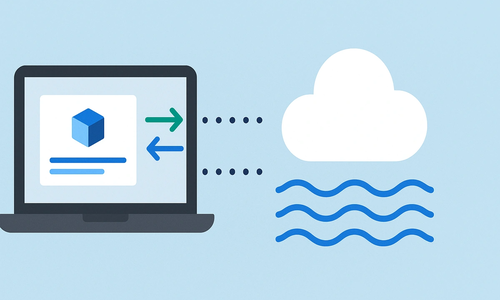
The reality? You’re buying into an Azure-only ecosystem that treats multi-cloud as a bug, not a feature. Fabric runs exclusively on Azure. While Snowflake operates natively across AWS, Azure, and GCP, with cross-cloud replication and failover groups, Fabric forces you to bet the farm on Microsoft’s infrastructure. For organizations with genuine multi-cloud strategies or regulatory requirements demanding data residency flexibility across providers, this is a non-starter.
Snowflake’s storage architecture is proprietary but portable. Fabric’s is open-format (Delta Lake) but operationally captive. As one enterprise architect noted in recent community discussions, choosing Fabric means accepting that your data gravity will inevitably pull every workload toward Redmond. The recent interoperability announcements allowing bidirectional Iceberg table access between Snowflake and OneLake are telling, Microsoft needs Snowflake more than Snowflake needs Microsoft.
Architectural Takeaway
Fabric offers tight coupling for speed within the Microsoft stack, while Snowflake offers decoupling for freedom at scale.
The Ingestion Reality Check: Mirroring Magic vs. Pipeline Hell
Here’s where the rubber meets the road. A typical enterprise scenario involves hundreds of source tables across SQL Server, SAP, Workday, and SaaS applications. In Fabric, the promise is “data mirroring”, native replication into OneLake without building ingestion pipelines. For Microsoft-heavy shops running Azure SQL and on-prem SQL Server, this is genuinely compelling. You point, click, and data appears in Delta format, ready for Power BI DirectLake mode.
Snowflake offers no such native mirroring for Microsoft sources. You’re looking at Azure Data Factory (ADF), Azure Functions, or third-party tools like Fivetran to land data in blob storage before Snowpipe picks it up. Community feedback suggests this approach scales poorly when managing hundreds of tables, creating “pipeline sprawl” that requires significant DevOps overhead.
“If you’re worrying about hundreds of tables meaning hundreds of ADF pipelines, your design is likely the problem, not the platform. Metadata-driven pipeline patterns collapse this complexity into configuration rather than code.”
Snowflake’s recent OpenFlow release (based on Apache NiFi) offers an ETL tool within the Snowflake ecosystem, though it’s still early days.
The uncomfortable truth? Fabric’s mirroring is convenient but creates tight coupling. When you mirror Azure SQL into OneLake, you’re not just moving data, you’re marrying your ingestion strategy to Microsoft’s release cadence and pricing model. Snowflake’s approach requires more upfront engineering but preserves architectural independence.
The Performance Tax: When “Unified” Means “Slower”
Latency Costs
Microsoft doesn’t advertise this in the keynote, but benchmarks don’t lie. Engineers running comparative workloads have documented that queries against Iceberg tables in OneLake consistently run 20-30% slower than identical queries against native Azure Data Lake Storage. This isn’t a bug, it’s the cost of abstraction.
OneLake’s unified security model and shortcut resolution add latency. The platform’s DirectLake mode for Power BI eliminates import refresh delays, but only if your data fits in memory and your queries don’t trigger the fallback to DirectQuery, which is noticeably slower.
Compute Scaling
For real-time analytics, Fabric’s KQL databases (inherited from Azure Data Explorer) offer sub-second performance, but you’re now managing two query languages: SQL for the warehouse, KQL for streaming.
Snowflake’s separation of storage and compute allows independent scaling without architectural gymnastics. Its micro-partitioning and automatic clustering optimize query performance without manual tuning.
Fabric’s capacity-based model (F2 to F1024 tiers) means you’re sharing compute across Power BI rendering, Spark jobs, and SQL analytics, a recipe for resource contention during peak hours.
The Money Talk: Predictable Bills vs. Surprise Invoices
| Pricing Model | Microsoft Fabric | Snowflake |
|---|---|---|
| Type | Capacity Units (FCU) | Credits (Consumption) |
| Start Price | ~$262/mo (F2) | Variable (~$2-4/credit) |
| Billing Cycle | Monthly Commitment | Per Second + Auto-Suspend |
| Risk Profile | Predictable (Pay even if idle) | Unpredictable (Ungoverned queries can spike bills) |
Let’s talk numbers. Fabric uses capacity-based pricing: you purchase Fabric Capacity Units (FCUs) starting around $262/month for F2 (development only) up to roughly $8,400/month for F64 production tiers. This includes 1TB of OneLake storage per capacity unit and unlimited queries. It’s predictable, which CFOs love, but you’re paying for capacity whether you use it or not.
Snowflake charges by the credit, roughly $2-4 per credit depending on your edition, with storage at $23-40/TB monthly. A medium virtual warehouse burns 4 credits/hour when active, with per-second billing and auto-suspend. This means small teams can start for under $20K/year, but ungoverned queries can generate six-figure surprise bills.
The Maturity Gap: Production-Ready vs. PowerPoint-Ready
Fabric Status
Despite the $2B revenue milestone, Fabric’s production readiness remains contentious. Recent migration projects have exposed gaps in DevOps support, CI/CD pipelines, and Infrastructure-as-Code capabilities. The platform is essentially a rebranded bundle of existing Azure services (Synapse, Data Factory, Power BI) with a unified UI, a “trench coat” architecture that looks cohesive from the outside but reveals seams under stress.
Snowflake Status
Snowflake, launched in 2012, has had a decade to mature its governance, data sharing marketplace (2,000+ datasets), and cross-cloud replication. Its Time Travel feature (1-90 days of historical data access) and zero-copy cloning are battle-tested. Fabric’s equivalent features rely on Delta Lake time travel, which requires manual retention policies and lacks the granular control of Snowflake’s implementation.
For teams considering Fabric, the question isn’t whether the features exist, it’s whether they exist in a form that won’t require rework in 18 months. The skills impact is real: Fabric demands expertise in Microsoft’s specific implementation of Spark, T-SQL variants, and Power BI data modeling, creating a narrower talent pool than standard SQL-based warehouses.
The Verdict: Choose Your Constraint
Choose Fabric if:
- You’re 80%+ Microsoft shop with Azure commitments and Power BI is non-negotiable
- You need real-time analytics (sub-second) via KQL databases for IoT or monitoring
- Predictable monthly costs outweigh optimization flexibility
- Your data volume is modest (10-20TB) and transformations are straightforward SQL
Choose Snowflake if:
- Multi-cloud flexibility is a strategic requirement
- You share data externally with partners or consume third-party datasets via marketplace
- You have experienced data engineers who can optimize credit usage
- You want best-of-breed tools rather than an all-in-one platform
The “unified platform” promise is always tempting until you hit the edge cases. Fabric excels at reducing friction for Microsoft-centric teams but extracts a price in flexibility and performance. Snowflake offers freedom at the cost of integration complexity. In the broader architectural debate, there’s no universal winner, only the wrong choice for your specific constraints.
The $2 billion question isn’t which platform is better. It’s whether you’re buying infrastructure or renting a lifestyle. Choose accordingly.