1536³ resolution, and it belongs to you, me, and anyone else with a GPU that can handle the heat.
The premise is seductive: upload an image, get a production-ready 3D mesh with full Physically Based Rendering (PBR) materials, Base Color, Roughness, Metallic, Opacity, ready for your game engine or AR experience. The reality, however, is a complex, GPU-bound dance on a proprietary stage. This isn’t just another AI demo. It’s a stark declaration of where the high-stakes battle for 3D content creation is headed: open-source, but fiercely dependent on a single hardware ecosystem.
The Anatomy of a 4B-Parameter 3D Factory
Benchmarks & Performance
To put its performance into perspective, here are the official benchmarks from Microsoft:
| Resolution | Total Time* | Breakdown (Shape + Material) |
|---|---|---|
| 512³ | ~3s | 2s + 1s |
| 1024³ | ~17s | 10s + 7s |
| 1536³ | ~60s | 35s + 25s |
| *Tested on NVIDIA H100 GPU. | ||
The “democratizing” claim holds water if you have the right hardware. Generating a 1024³ asset in ~17 seconds is staggering, but the fine print requires an NVIDIA GPU with at least 24GB of VRAM. The research paper confirms the system has been verified on A100 and H100 GPUs. This immediately creates a two-tiered accessibility model: state-of-the-art for those with pro-level gear, and a world of workarounds and compromises for everyone else.
The CUDA Lock-In: Open-Source, But Not Open Hardware
The model leans heavily on NVIDIA-specific libraries:
* FlexGEMM: A high-performance, Triton-based sparse convolution implementation critical for processing the O-Voxel grid.
* CuMesh: CUDA-accelerated utilities for mesh post-processing like decimation and UV-unwrapping.
* nvdiffrast & nvdiffrec: NVIDIA’s differentiable rasterizer and renderer for PBR material baking.
flash_attn with PyTorch’s SDPA, reimplement sparse 3D convolutions with a gather-scatter approach (slowing them down 10x), swap a CUDA hash map for a Python dictionary, and stub out nvdiffrast entirely, sacrificing texture baking. The result runs on an M4 Pro, but takes ~3.5 minutes for a 512³ generation and outputs vertex colors instead of full PBR textures.
The message is clear: you can have TRELLIS.2 fast and fully-featured on NVIDIA, or slow and compromised elsewhere.
From Paper to Pipeline: The Practitioner’s Workflow
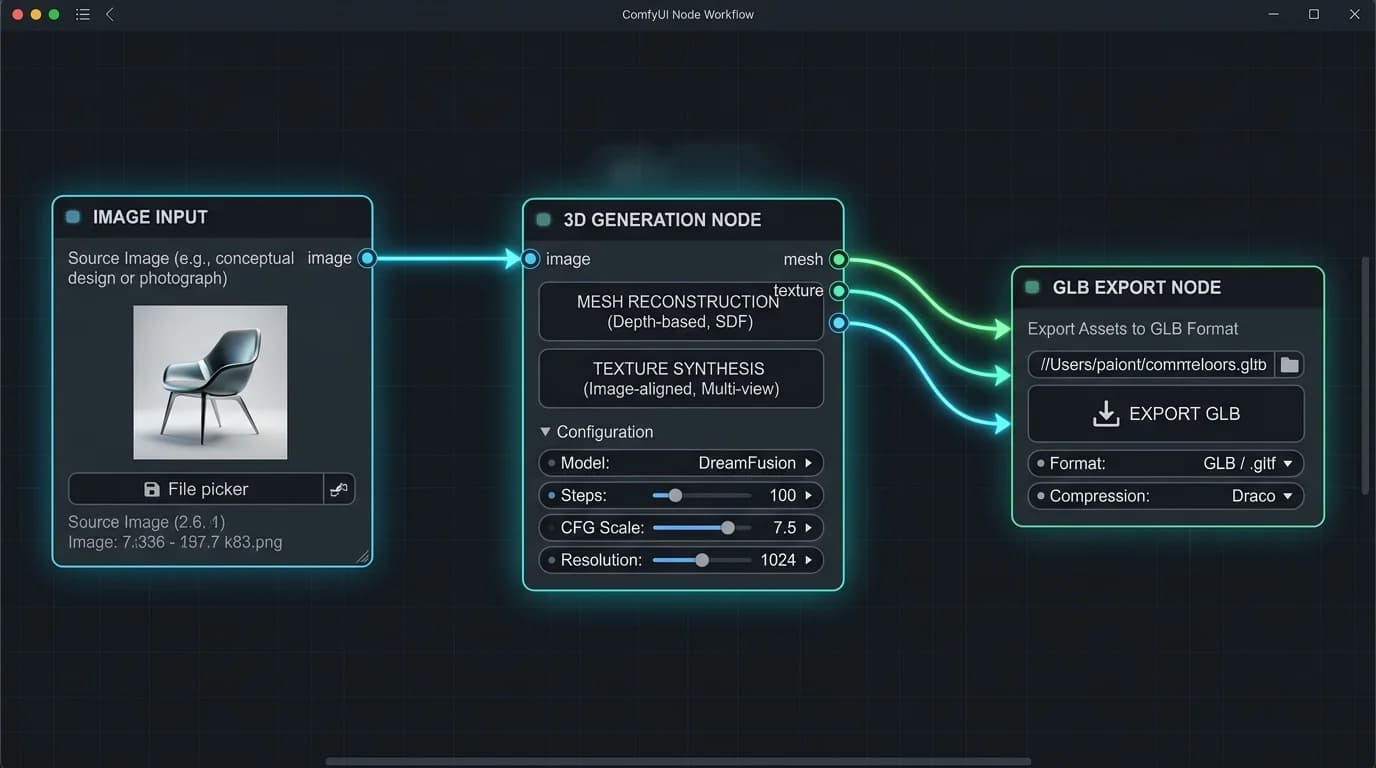
This integration unlocks powerful chaining: generate an image with SDXL, refine it with ControlNet, and pipe it directly into TRELLIS.2 for 3D conversion, all in one visual graph. The wrapper’s README is a war diary of compatibility fixes, with pre-built wheels for various Python and CUDA versions, and a constant stream of updates adding features like multi-view generation and mesh repair nodes. It turns the raw model into a usable product.
from trellis2.pipelines import Trellis2ImageTo3DPipeline
from trellis2.utils import render_utils
import o_voxel

pipeline = Trellis2ImageTo3DPipeline.from_pretrained("microsoft/TRELLIS.2-4B")
pipeline.cuda()
image = Image.open("your_image.png")
mesh = pipeline.run(image)[0]

# Export to GLB with full PBR textures
glb = o_voxel.postprocess.to_glb(
    vertices = mesh.vertices,
    faces = mesh.faces,
    attr_volume = mesh.attrs,
    texture_size = 4096,
)
glb.export("your_model.glb", extension_webp=True)
This simplicity, load, run, export, is the revolution. The model handles the nightmarish complexities of topology reconstruction, UV unwrapping, and material parameter estimation that traditionally require hours of manual labor.
The Uncanny Valley of Generative 3D
O-Voxel representation mitigates some classic failures (open surfaces, internal structures), but it doesn’t grant the model an understanding of physics or object permanence.
This puts it in direct competition with other emerging giants. When comparing its capabilities to Apple’s SHARP model, the contrast is telling. SHARP focuses on 3D Gaussians for view synthesis from video, while TRELLIS.2 is squarely aimed at asset creation from a single image. Both are impressive, but they attack the “3D from 2D” problem from opposite flanks, with both currently relying on NVIDIA’s hardware dominance for optimal performance.
Democratization or Just Another Walled Garden?
Yes, because the code is free, the model weights are on Hugging Face under an MIT license, and the performance is leagues beyond anything previously available to the public. Indie developers, researchers, and hobbyists now have a tool that was science fiction two years ago.
But, democratization is bottlenecked by hardware. The 24GB VRAM requirement and CUDA dependency mean the “high-fidelity” experience is reserved for a slice of the market. The community’s rapid development of workarounds, ComfyUI wrappers, Apple Silicon ports, low-VRAM modes, shows a desperate hunger to pry open this bottleneck.
The final verdict lies in its use. TRELLIS.2 is a foundational technology. It won’t replace skilled 3D artists for final, polished products, but it will obliterate the barrier to creating first-pass assets, prototyping, and populating virtual worlds with unique, generated content. Its open-source nature invites iteration, someone will build a faster sparse convolution kernel, a more efficient VAE, or a clever trick to run it on 12GB cards.
Microsoft hasn’t just released a model, it’s dropped a lit match into the dry tinder of 3D content creation. The fire is now ours to spread, provided we can find a GPU powerful enough to hold the torch.