DBeaver’s Midlife Crisis: Why the Free Database Client Can’t Keep Up With Modern Data Engineering
DBeaver has been the Swiss Army knife of database clients for over a decade, but in 2025, that knife is starting to feel dull. The tool that once symbolized “free and works everywhere” now represents a different reality for many data engineers: sluggish performance with large schemas, a UI that feels frozen in 2015, and gaping blind spots in cloud-native workflows. The question isn’t whether DBeaver is still functional, it’s whether it’s still competitive.
The controversy stems from a simple truth: DBeaver’s architecture, built on Eclipse and JDBC, was designed for a different era of data work. When your primary databases were PostgreSQL and MySQL running on-prem, DBeaver was unbeatable. But when you’re juggling BigQuery cost optimization, Snowflake warehouse scaling, and real-time schema exploration across 50+ microservices, DBeaver starts to look like a horse-drawn carriage on a Formula 1 track.
The Performance Cliff: When Schemas Grow Up
The most common complaint from data engineers isn’t about missing features, it’s about DBeaver’s inability to handle complexity at scale. One engineer on Reddit put it bluntly: DBeaver “gets sluggish with larger schemas.” This isn’t just perception, it’s a fundamental limitation of how DBeaver loads and caches metadata.
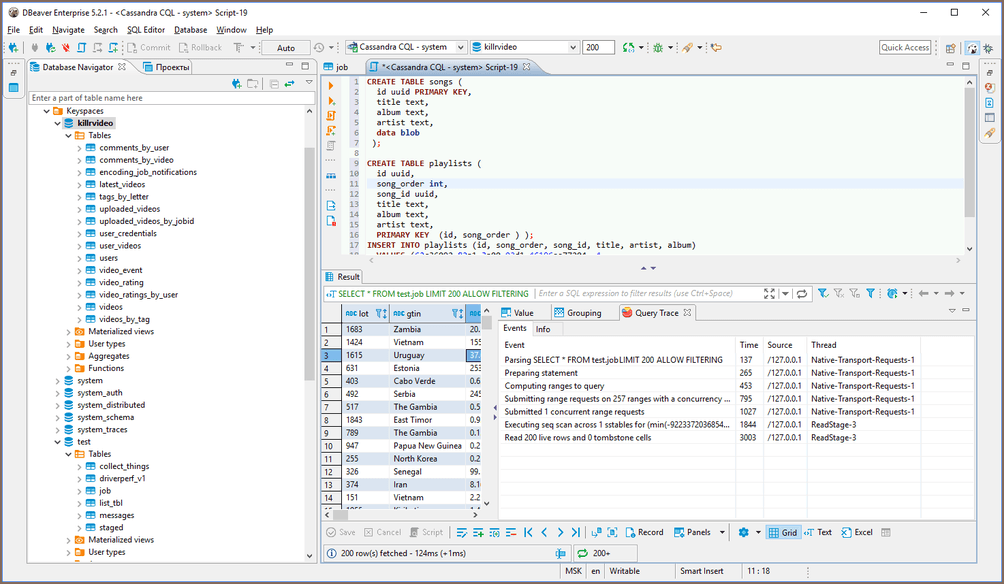
Consider a typical modern data mesh architecture: 30 PostgreSQL databases, a handful of MySQL instances, Snowflake for analytics, and BigQuery for marketing data. DBeaver will connect to all of them, but opening a schema browser on a database with thousands of tables triggers a multi-second freeze. The autocomplete, while present, often suggests columns from the wrong table or lags behind your typing, breaking the flow of query writing.
Compare this to DataGrip, which JetBrains has optimized for large codebases and complex schemas. DataGrip’s introspection engine runs incrementally and in the background, letting you keep working while it quietly builds its understanding of your database. The difference is night and day, except DataGrip costs $180/year after the initial discount period, and many teams can’t justify that expense for a database client.
The Cloud Blind Spot: Where DBeaver Goes Dark
Here’s where DBeaver’s obsolescence becomes undeniable: cloud cost awareness. Modern data engineering is as much about cost optimization as it is about data transformation. When you run a query in BigQuery’s web UI, you get an instant estimate of bytes processed and projected cost. In DBeaver? You’re flying blind.
A six-year-old GitHub issue #4907 requesting BigQuery dry-run support remains open. The problem is architectural: DBeaver’s JDBC-only approach means it can’t access cloud-native APIs that provide cost estimation, query optimization hints, or warehouse scaling controls. For data engineers working under tight budget constraints, this is a dealbreaker.
As one engineer noted, “DBeaver only supports ODBC/JDBC which means anything else (like BigQuery dryrun giving totalBytesProcessed information) is not possible.” This isn’t a minor inconvenience, it’s a fundamental misalignment with how modern data platforms operate. When your tool can’t tell you whether a query will cost $0.01 or $100 before you run it, you’re not just inefficient, you’re professionally negligent.
The UI Paradox: Familiarity vs. Productivity
DBeaver defenders often argue that the UI, while dated, is functional. “DBeaver works. DBeaver is free. DBeaver does not try to shove AI shit down my throat”, one Reddit commenter declared, capturing the sentiment of engineers tired of over-engineered tools.
But there’s a difference between simplicity and stagnation. DBeaver’s Eclipse-based interface inherits all the clunkiness of that platform: modal dialogs that block your workflow, configuration panels buried three levels deep, and a lack of modern UX patterns like command palettes or contextual actions.
Beekeeper Studio, by contrast, has built its entire value proposition on being “the only cross-platform database client with a fast, modern UI that feels like it was built this century.” Their comparison is telling: “Beekeeper Studio vs DBeaver is like VSCode vs Eclipse.” For engineers who’ve migrated from Eclipse to VSCode for development, this resonates deeply.
The Feature Trap: When More Becomes Less
DBeaver’s greatest strength, its sheer breadth of features, has become its Achilles’ heel. The tool supports everything from MongoDB to Cassandra, from ER diagrams to data transfers. But this comprehensiveness comes at the cost of polish.
A recent GitHub issue #40004 highlights the problem: scheduled Excel exports failing silently. The user reported getting a “data export completed” notification, but no file was generated. The maintainer’s response? “DBeaver 7.1 is an outdated version and may contain bugs that were resolved in later versions.”
This reveals a critical flaw in DBeaver’s enterprise model. The Community Edition, the one most engineers use, is perpetually behind the paid versions in bug fixes and stability improvements. You’re essentially running a beta version of the software, debugging issues that paying customers had resolved months ago.
DbVisualizer, while also having a paid tier, takes a different approach. Their free version is more capable, and the paid features (like advanced visualizations and scheduling) are clearly delineated. You don’t feel like you’re using broken software, you feel like you’re using limited software.
The Native Tool Argument: A False Dichotomy?
Some argue the solution is simple: use vendor-provided tools. “For best experience use the client provided by vendor”, one engineer suggested. “No generic client will give a better experience than one that is tailored for a particular database engine.”
This works in theory, but collapses in practice for data engineers who touch multiple systems daily. Keeping SSMS for SQL Server, Snowsight for Snowflake, the BigQuery web UI for GCP, and psql for PostgreSQL means constant context switching and learning different keyboard shortcuts, query histories, and export mechanisms.
The appeal of a universal client isn’t just convenience, it’s cognitive load reduction. DBeaver’s promise was “learn once, use everywhere.” The problem is that in 2025, using everywhere means compromising everywhere.
The Cost of Free: When Open Source Isn’t Really
DBeaver’s open-source nature is both its blessing and curse. The Community Edition is genuinely free, but it’s also where new features and bug fixes go to mature before being deemed stable enough for the paid Enterprise Edition. This creates a two-tier system where the free users are effectively QA testers.
Beekeeper Studio has inverted this model. Their Community Edition is their primary product, with paid tiers adding team collaboration features. “All purchases support continued open source development”, they state, making it clear that you’re paying for sustainability, not basic functionality.
DataGrip, being commercial from the start, avoids this problem entirely. You pay for polish, and you get it. For engineers who spend 6-8 hours a day in their database client, $180/year is trivial compared to the productivity gains.
The Verdict: Obsolete or Just Mature?
DBeaver isn’t obsolete in the sense that it stops working. It still connects to databases, runs queries, and exports data. But it’s obsolete in the ways that matter for modern data engineering:
- Performance: It can’t keep up with large, dynamic schemas
- Cloud integration: It lacks cost awareness and platform-specific optimizations
- User experience: It feels dated compared to modern alternatives
- Reliability: The free version has known, unresolved bugs
The tool has become the MySQL 5.7 of database clients, ubiquitous, functional, but increasingly a liability in environments that demand more.
That said, DBeaver remains the right choice for specific scenarios:
– Teams on tight budgets who need multi-database support
– Engineers working primarily with traditional RDBMS (PostgreSQL, MySQL, SQL Server)
– Organizations with strict open-source-only policies
For everyone else, it’s time to evaluate alternatives. DataGrip for those who want the best SQL IDE regardless of cost. Beekeeper Studio for those who want modern UX without the enterprise price tag. DbVisualizer for teams that need cross-platform consistency. Even TablePlus for Mac-centric teams who value speed over features.